This post is older than 2 years and might not be relevant anymore
More Info: Consider searching for newer posts

Nordic Thingy 91 disconnecting when updating modem

Hi,

I'm new to using the thingy so I followed the instructional video to set up my 91. I think I tried to update the modem while not in MCUboot mode (I held SW3 when turning it on instead of SW1). Now it will not be recognized in the programmer unless I put it in MCUboot mode (using SW1 this time). I can't re-install the modem version either, because the thingy will disconnect itself after step 1/2 completes and "Target Disconnected" will be added to the log. The program hasn't ever completed the installation after reaching the screen below.
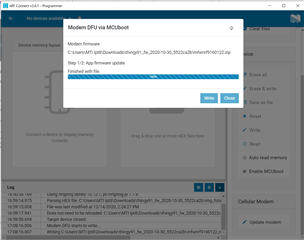
The thingy itself also no longer has the LED breathing animation when switched on. Is there some way to fix/reset it?

  • Hi!

    Could you try updating the FW on the nRF52840 first (connectivity bridge)? Make sure to hold down SW4 (and not SW3) to put the device into serial recovery mode for the nRF52840. 


    Best regards,

    Heidi

  • Hi,

    Adding the connectivity bridge allowed the Thingy to be recognized by the programmer again, but it will still disconnect at the same point in the modem update process. After that, I have to re-write the connectivity bridge again.

    I noticed when re-watching the setup video that the Thingy is called PCA but mine is called THINGY91. Does this change how a write works? I am also trying to update to version 1.22 while the video shows 1.20

    Thanks for your help so far!

  • also, I noticed just today that there is only one available COM port when in serial recovery mode. According to the setup manual I found, there should be two. However, when looking at possible reasons for this, the options were: restart the programmer, or "other errors"

  • I put in a private ticket about this problem and worked with the technician to fix the problem, so I'll put it here for anyone who may run into the same issue:

    I started by updating the firmware on the nRF52840 using the conectivity bridge. This allowed it to be seen by the programmer again. Then I updated the modem by holding SW3 and uploading the desired modem firmware (if you get error code 0x9, try pressing ctrl + R to reset the programmer and try again). Then I uploaded the hex that I wanted and it worked

Related