This post is older than 2 years and might not be relevant anymore
More Info: Consider searching for newer posts

debugger compatibility

Hi,

I used Jlink Edu successfully to flash the asset tracker code using segger. but when put the breakpoint it went to some different file. 

I have a quick question regarding the debugger. Is Jlink Edu is compatible with thingy 91?

Rahul Kidecha

  • The compiler may be optimizing, this may prevent brekpoints to be set as intended.

    Try to open prj.conf and try with CONFIG_DEBUG_OPTIMIZATIONS=y?
    (Make sure that you don't have other CONFIG_****_OPTIMIZATIONS in prj.conf)

    Afterwards you may need to re-open the project again in SES for it to take effect. The jlink EDU should work yes.

  • Hi Kenneth,

    I added that line to the project file as you mentioned. I was trying to load the agps code which was done successfully.

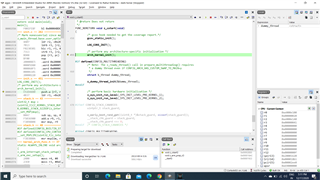
    To check the debug feature, I first built the project then pressed GO in debugging. Now what I can see is the program always get stuck at one line in an inti.c file.

    check the below screenshot.

    Generally, I put the breakpoint at void main to check how the code is working. But without putting breakpoint I am getting above output.

    Can you Guide me more into this.

Related