This post is older than 2 years and might not be relevant anymore
More Info: Consider searching for newer posts

Need FOTA Support in LWM2M firmware update object using block2 coap process.

Hi 

We searched a lot of stuff regarding FOTA update in nRF52840DK using Lwm2m and coap protocol. But we could not get help in the right direction. We could not find any stuff or documentation (explanation) regarding BACKROUND_DFU in nRF16_SDK.

We already implemented firmware object and its instance callback with existing lwm2m client example. Now we want to update the firmware over the air using lwm2m and coap protocols. Please share any kind of stuff or example you have so that we can get out from this trouble

  • Pankaj Jaswal said:
    After upload the nRF stuck into the infinite loop. 

     What infinite loop?

    What project is your bootloader built on? Is it the SDK17\examples\dfu\secure_bootloader\pca10056_s140_ble?

    If so, can you please try to replicate it with the project: SDK17\examples\dfu\secure_bootloader\pca10056_s140_ble_debug? If you manage to do that, what does the RTT log say when you have programmed the bootloader + SoftDevice + Application + settings.hex?

    BR,

    Edvin

  • Hi Edvin


    Thank you so much for your continuous support. 

    The Problem of Infinite loop is solved. By uploading correct bootloader_setting.hex file with application.

    We are using SDK16\examples\iot\bootloader\pca10056\s140\ses with our own application which is based on COAP. It is based on background dfu module download and stored the application file into flash memory(BANK1) in case of dual bank update.

    But this time i came with new problem in which, after successfully downloaded and stored the dfu package using background dfu module nrf52840 is reset by the application using NVIC_SystemReset() inside dfu_observer function when the callback notify NRF_DFU_EVT_DFU_COMPLETED.
    But there is no swap operation(DFU Application not moved from BANK1 to BANK0) is occurred after reset.
    The current application(BANK0) again run and the dfu Application is also present in BANK1. 

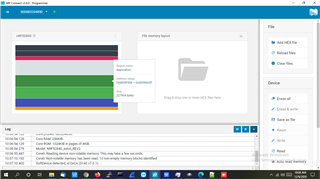
    As you can see in the image file which i attached below. 

    We already tested to set this macro NRF_DFU_IN_APP 1 in both, application SDK.config.h and bootloader sdk_config.h file.

    Also tested to set this macro NRF_DFU_IN_APP 1 in application sdk_config.h  and NRF_DFU_IN_APP 0 in Bootloader sdk_config.h file.

    Please help us to solve this problem, we are so closed to update firmware using coap.
    Or Please let me know if you have anyone, who already worked or currently working on IoT examples present in SDK16 related to TFTP DFU update. 


    BR 
    Pankaj Jaswal

  • Hi Pankaj,

    Edvin is OoO until beginning of January so I have taken over this case.

    As I understand it you have successfully copied in place the new application in bank 1, but it is not activated (copied in place etc). Is that correct? If you are doing as the example application (examples\iot\tftp\background_dfu\main.c) and TFTP DFU module then this should work out of the box. Can you share a debug log and your code so that I can better understand?

    Br,

    Einar

  • Hi Einar


    As I understand it you have successfully copied in place the new application in bank 1, but it is not activated (copied in place etc). Is that correct?
    Yes, you are right.

    We are using same background DFU module but we created CoAP DFU module instead the use of TFTP module. The CoAP module is same as present in thread DFU application in ZigBee SDK.

    And for share the log file please give me a moment i will share it to you as soon as possible.


    Br,

    Pankaj Jaswal

Related