This post is older than 2 years and might not be relevant anymore
More Info: Consider searching for newer posts

Raspberry PI MeshProxy GattService receive notification problem

I'm trying to create application for working with nRF52 device. I have completed provisioning mesh success, and receive notification message about success operation (work with MeshProvisioning GattService - ok). But when I trying to work with MeshProxy GattService, all commands (such as send AppKey, Reset or Vendor command) send's without errors, and nothing receive in notification. Why notifications not received from MeshProxy GattService?

System info:
Hardware: Raspberry PI 4
OS: Raspbian
Bluetooth: version 5
Soft: Buez + tinyb (java)

Log command Add AppKey:

Log command Send Vendor command:
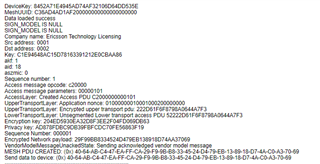
  • I think that problem is in enable notification on MeshProxy GattService -> Out Characteristic(00002ade-0000-1000-8000-00805f9b34fb)

    Debug information of Mesh mobile application, show this:

    2021-01-06 11:15:46.539 15048-15048/no.nordicsemi.android.nrfmeshprovisioner D/BleManager: gatt.setCharacteristicNotification(00002ade-0000-1000-8000-00805f9b34fb, true)
    2021-01-06 11:15:46.539 15048-15048/no.nordicsemi.android.nrfmeshprovisioner D/BluetoothGatt: setCharacteristicNotification() - uuid: 00002ade-0000-1000-8000-00805f9b34fb enable: true
    2021-01-06 11:15:46.542 15048-15048/no.nordicsemi.android.nrfmeshprovisioner V/BleManager: Enabling notifications for 00002ade-0000-1000-8000-00805f9b34fb
    2021-01-06 11:15:46.543 15048-15048/no.nordicsemi.android.nrfmeshprovisioner D/BleManager: gatt.writeDescriptor(00002902-0000-1000-8000-00805f9b34fb, value=0x01-00)
    2021-01-06 11:15:46.568 15048-15048/no.nordicsemi.android.nrfmeshprovisioner I/BleManager: Data written to descr. 00002902-0000-1000-8000-00805f9b34fb, value: (0x) 01-00
    2021-01-06 11:15:46.568 15048-15048/no.nordicsemi.android.nrfmeshprovisioner I/BleManager: Notifications enabled

    It enabled activated by write value to BluetoothGattDescriptor.

    When I trying to do the same, I've got an error: Write Not Permitted!

  • Hi,

    Just to clarify, are you trying to create a provisioner on your Raspberry PI?

    I would suggest you look through Interactive PyACI script and the examples/tutorials for it.

  • I think it can't help me. In my case, I do success provision device. And then, I'm trying to send some command to vendor service (turn on led). There are steps of my case:
    1). Scan unprovisioned device
    2). Connect to device
    3). Make provision device (send all commands to provision - success)
    4). Disconnect from device

    Next steps - work with provision device:
    5). Scan provision device
    6). Connect to device
    7). When I connected and turn on default-way notification, I reveice message (0x) 01-01...then I check authenticated Beacon...
    8).---- I think, that my problem is here
    9). Send Application Key
    10). Send command to vendor service

    All the commands look like correct, but there are no messages received. In the android application, notifications for proxy-service are turning on by writing some value to descriptor. When I trying to do that - I've got an error "Write not permitted".

    Without notifications, I can't see results of my commands. I don't know the reason of that error - it's a linux problem, or it's a java problem or may be I miss some important command to send before

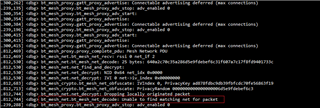
  • Error of "Write not permitted" to descriptor, may be is not a real problem. In the "J-Link RTT Viewer" I detect the problem "Unable to find matching net for packet". There is a wrong unicast address in my commands. When I set unicast address correct, some notifications was appear. Screenshot:

Related