This post is older than 2 years and might not be relevant anymore
More Info: Consider searching for newer posts

nRF51 DK not recognized by computer

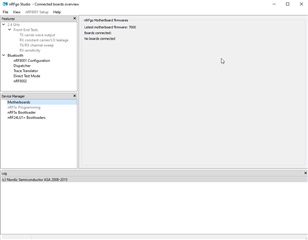
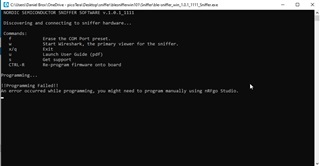
Newly purchased nRF51 DK connected via USB cable to a computer.  Attempted to program firmware via BLE sniffer and an error occurred (image attached).  Connected nRF51 DK does not appear in nRFgo Studio or Windows 10 device manager.  What to do to get correct nRF51 DK operation?
Parents
  • Hi

    First off, please make sure that the USB cable you're using is working correctly and that it is able to communicate with the computer and that it is not just a charging cable. Can you enter the Device Manager on your computer to see if it is picked up as a COM port (it should be named JLink CDC UART port or similar).

    If not, make sure that it is powered on, and go through the steps described by Martin in this case to see if that helps.

    Best regards,

    Simon

Reply
  • Hi

    First off, please make sure that the USB cable you're using is working correctly and that it is able to communicate with the computer and that it is not just a charging cable. Can you enter the Device Manager on your computer to see if it is picked up as a COM port (it should be named JLink CDC UART port or similar).

    If not, make sure that it is powered on, and go through the steps described by Martin in this case to see if that helps.

    Best regards,

    Simon

Children
Related