This post is older than 2 years and might not be relevant anymore
More Info: Consider searching for newer posts

Unable to receive notification in a laptop with nRF Connect for Desktop and nRF52840 dongle

Hi,

When I use Texas Instruments CC2650 MODA (using Bluetooth 4.2) as the the transmitter, a smartphone (iPhone or an Android phone) that has nRF Connect app as a receiver can receive streamed data after enabling notification.

However, when using different laptops (MacBook Pro, Windows 7 or Windows 10) with a nRF52840 dongle inserted and have nRF Connect for Desktop installed, I can read and write but cannot stream data after enabling notification.

I wonder if anyone encounters this issue? Is there a solution to receive notification from a laptop with a nRF52840 dongle and nRF Connect for Desktop installed?

Note that the same MacBook Pro with LightBlue software can receive notification from CC2650MODA, with no need of a dongle.

The following table summarizes the results using different receivers 

Type of receiver nRF Connect

iPhone

nRF Connect app

 Notification works

Android

nRF Connect app

 Notification works

MacBook Pro

with nRF82840 dongle

nRF Connect for Desktop installed

 Can write 

 Can read

 Notification does not work 

Laptop with Windows 7

with nRF82840 dongle

nRF Connect for Desktop installed

 Can write 

 Can read

 Notification does not work

Laptop with Windows 10

with nRF82840 dongle

nRF Connect for Desktop installed

 Can write 

 Can read

 Notification does not work

Raspberry Pi 3B+

 Can write 

 Can read

 Notification does not work

Thanks,

Philex

Parents
  • Hi

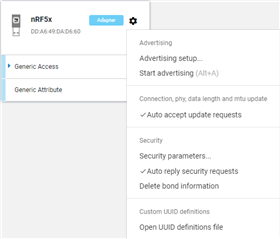
    The nRF52840 (Dongle or DK) should not be restricted to 20 byte packets, so that shouldn't be it. Please make sure that your central device has checked the "Auto accept update requests". 

    What kind of values are you expecting to see in FFF4? I don't see any errors in the log you've provided, so there doesn't seem to be any issues here. Does the values you expect pop up in the log perhaps?

    Best regards,

    Simon

Reply
  • Hi

    The nRF52840 (Dongle or DK) should not be restricted to 20 byte packets, so that shouldn't be it. Please make sure that your central device has checked the "Auto accept update requests". 

    What kind of values are you expecting to see in FFF4? I don't see any errors in the log you've provided, so there doesn't seem to be any issues here. Does the values you expect pop up in the log perhaps?

    Best regards,

    Simon

Children
  • Hi Simon,

    I am pretty sure that the central device has checked the "Auto accept update requests", but does not receive any data after enabling notification.

    I expect to see 0xF083+(24-byte dummy signals)+0000. The 24-byte dummy signals will increment automatically. To check the details you can observe the video I upload here that uses my iPhone with nRF Connect app.

    Thanks,

  • Hi again

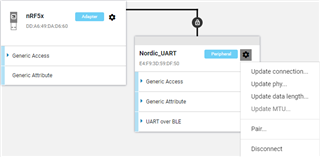
    Thank you for sharing that video. From the log file you attached in your last reply it doesn't seem like the peripheral nor the nRFConnect Desktop central is updating the MTU/data length at any point. Can you try to do so manually in nRFConnect once connected to the device?

    Does your send function on the peripheral side have any return value at all, and if so, what does it return after the notifications have been enabled?

    Best regards,

    Simon

  • Hi Simon,

    Thank you so much for the suggestion.

    1. When MTU/data length (default 23 bytes) is updated to 28 bytes (my packet length), notification does not work. But if MTU/data length changes to a larger number (40 bytes in my case) notification works (please see the video I upload here). Any idea why MTU/data length=28 does not work but 40 works?

    2. Can nRF Connect be installed in Raspberry Pi 3B+ or 4? 

Related