This post is older than 2 years and might not be relevant anymore
More Info: Consider searching for newer posts

Asset_tracker example, transmission protocol

Hi 

I am using nRF9160DK board and need transmit gps data to web site, I am trying with udp but have problems with that, I would like to know what protocol use asset_tracker example to transmit to nrfcloud? I try discover reading the example code but it's hard to me identify how its works, any documentation about the protocol and how its works will be very usefull to me.

thanks in advance 

Julio

Parents
  • Thanks for your answers 

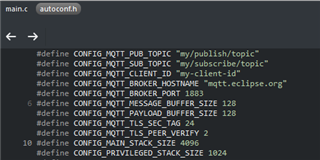
    we will try whit MQTT because the target will be in motion and the period of transmittion is't short. I want to change the address of transmition of aseet tracker sample and have seen the sample but I can't find where I can where change the address of transmittion. Also I have seen the of mqtt_simple sample where the configuration (first image) is very clarely, I can see and modify the broker hostname, client id, topic, etc. but in asset tracker sample I cant find this configuration Where is this config in asset tracker?

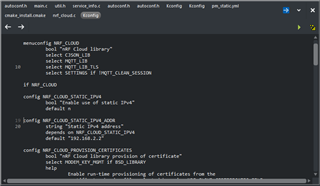
    I find a tiket with following recomndation to change the ip "you should only have to change the following configs in the nRF_Cloud library Kconfig file in subsys/net/lib/nrf_cloud/" in that path I have this configs (second image) but I'm not sure about change that ip.


  • Hi,

    The reason this is not as easily found in the Asset Tracker application as in MQTT Simple is because the Asset Tracker is an application, which is targeted for a specific use case, while the samples are showcasing the use of a single feature or library, and is meant to show how you can use this feature or library in your application. In the regard of Asset Tracker it's meant to demonstrate how to use nRF Cloud, in addition to GPS and sensor data. Therefore, it uses the nRF Cloud library to connect to and communicate with nRF Cloud, and that library is what handles MQTT as well. Because of this, you can't easily change MQTT configurations, such as broker and topics, in the Asset Tracker application. You would have to switch out the nRF Cloud library with something that takes care of all of this but uses the broker etc. that you want. So I would instead recommend that you start out with MQTT Simple if you want to use another MQTT broker, or possibly the cloud client sample if you want to use AWS IoT or Azure IoT Hub, and then add the functionality you want from Asset Tracker to that, using the different samples available to see how the different features and libraries can be used.

    Best regards,

    Marte

  • Hi Marte

    I have tried the cloud client sample but don´t connect, I wait for 10-15 minutes but not connect I don't modify any thing and do the same proccess that with others samples to download to board, maybe I need wait more time?

    what protocol of transsmision use cloud client?

    thanks

  • Hi,

    Is your device already set up with your nRF Cloud account? The default cloud backend is nRF Cloud, so the sample will try to connect to nRF Cloud. However, your device must be in your nRF Cloud account already, like when you add it using the Asset Tracker application. You can also change the backend to AWS IoT or Azure IoT Hub, but then you'll have to configure ID, hostname, etc. in prj.conf yourself.

    All of the cloud backends use TLS secured MQTT as communication protocol.

    Best regards,

    Marte

  • Hi,

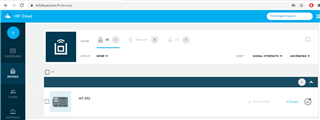
    Yes I have set up the device with my nRF Cloud account, I did it once for run the asset_tracker sample

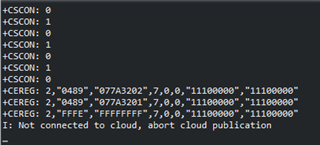
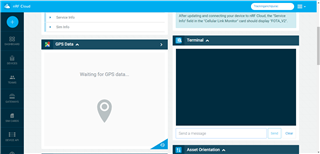
    I understand the transmited messagge apear in this terminal, is that rigth?


    the cloud bakend is NRF_CLOUD

    Thanks 

  • I just resolved it, the problem is the new sim 

  • Hi,

    Great to hear that the problem was resolved!

    Best regards,

    Marte

Reply Children
No Data
Related