This post is older than 2 years and might not be relevant anymore
More Info: Consider searching for newer posts

Cannot unset breakpoint at main (using segger with nrf52840dk)

Using segger nordic edition I cannot unset the breakpoint for the first instruction in the main() function. Since I'm using zephyr with wireless on this board it causes a crash every time I load debug since the main thread executes concurrently with wireless service calls. Is there a way to unset this breakpoint?

It doesn't actually show up as a breakpoint in segger when programming/debugging, but the j-link commander shows a hardware breakpoint being set to the address of the first instruction in the main() function. I cannot figure out where in the build/debug process this breakpoint is being set, but it happens somewhere in the upload/veriify stage because there are no hardware breakpoints set prior to the board starting.

It's driving me crazy because every time I build and debug I then have to manually reset the board to get it to ignore that breakpoint.

Parents Reply
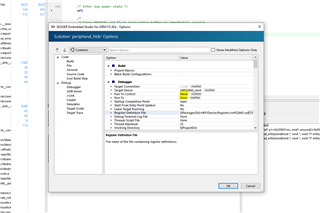
  • I'm afraid there is no easy way to change the default project settings as the projects are auto generated when you import a NCS example into SES.  Maybe if you modify the \ncs\v1.4.2\toolchain\segger_embedded_studio\html\create_nordic_project.py.py script. The debugger configuration appear to be defined at line ~408:

        if start != -1 and end != -1:
            inputs = out[start + 14:end].strip().split("\n")
            xml.append('  <project Name="zephyr/merged.hex">')
            line = ('    <configuration Name="Common"'
                    ' debug_initial_breakpoint="z_cstart"'
                    ' debug_start_from_entry_point_symbol="No"'
                    ' project_dependencies="all(build)"'
                    ' external_build_file_name="$(ProjectDir)/zephyr/merged.hex"')

Children
No Data
Related