This post is older than 2 years and might not be relevant anymore
More Info: Consider searching for newer posts

nRF52 DK (nrf_log_backend_rtt.c: No such file or directory)

Hi Nordic, 

I'm using nRF52 DK (PCA10040). I tried to copy and paste the project from this default location:

...\nRF5_SDK_17.0.2_d674dde\example\peripheral\twi_sensor

to a new location: 

...\nRF5_SDK_17.0.2_d674dde\twi_sensor_LCD

Note: I also changed the project folder name from "twi_sensor" to "twi_sensor_LCD" (see image 1). 

Issue

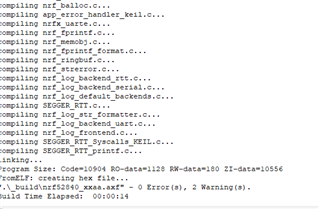
I cannot build and run the code in Segger, the error message shows (see image 2): 

C:\Users\Yutao Wang (Steven)\OneDrive - Aimwell Pty Ltd\Desktop\components\libraries\log\src\nrf_log_backend_rtt.c: No such file or directory

I noticed that the above nrf_log_backend_rtt.c directory seems to be wrong. The correct directory should be: 

C:\Users\Yutao Wang (Steven)\OneDrive - Aimwell Pty Ltd\Desktop\Aimwell\nRF5_SDK_17.0.2_d674dde\components\libraries\log\src\nrf_log_backend_rtt.c

I found the nrf_log_backend_rtt.c in the correct directory. 

Any idea, please? Thanks

Parents
  • You project compiles for me after some cosmetic fix but i think you need to save the project not in the main SDK folder but inside the examples folder. i should have seen that earlier in your original description.

    You should also use the nrf_drv_twi_tx as below setting the no_stop bit to false

    err_code = nrf_drv_twi_tx(&m_twi, address, &sample_data, sizeof(sample_data), false);

    And then I have compiled it.

Reply
  • You project compiles for me after some cosmetic fix but i think you need to save the project not in the main SDK folder but inside the examples folder. i should have seen that earlier in your original description.

    You should also use the nrf_drv_twi_tx as below setting the no_stop bit to false

    err_code = nrf_drv_twi_tx(&m_twi, address, &sample_data, sizeof(sample_data), false);

    And then I have compiled it.

Children
Related