This post is older than 2 years and might not be relevant anymore
More Info: Consider searching for newer posts

Custom PCB nRF9160 Link monitor ports

Hi, We have a custom design using an nRF9160.

We can connect and program the device using a jLink though the debug port.

How can we connect the LTE link monitor to the board to transfer AT commands?

Currently our PCB only has access to P0.18 and P0.19 for debug (this can be modified in the next PCB revision).

Can these be re-programmed or are they part of the soft device?

Thanks

Parents
  • Hi,


    How can we connect the LTE link monitor to the board to transfer AT commands?

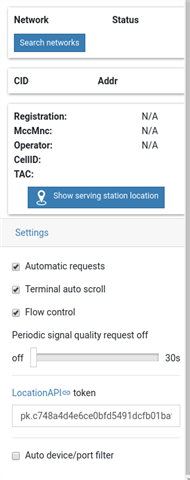
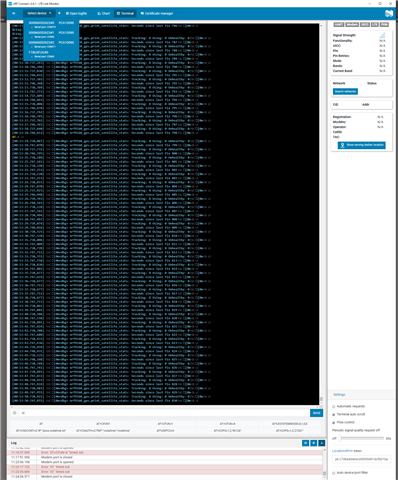
    The CONFIG_AT_HOST option uses a generic UART for communication. As long as you connect your device to a usb-uart converter, you should be able to select the device in the drop-down meny in LTE Link Monitor, but you have to un-tick the "Auto device / port filter", then select your device.


    Firmware-wise, what you need to do is to change the pinout of uart0 for both non-secure and secure region. This can be done by creating your own board, or use a overlay for an existing board (like nrf9160dk_nrf9160ns).

    Changes required to CMakeLists.txt for your specific project can be found here:

    https://devzone.nordicsemi.com/f/nordic-q-a/60471/nrf9160-psm-current-consumption-test-problem/245872#245872

    Then you can create a $(BOARD).overlay file, for instance nrf9160dk_nrf9160ns.overlay in the same folder, and populate it with:

    &uart0 {
    	status = "okay";
    	current-speed = <115200>;
    	tx-pin = <18>;
    	rx-pin = <19>;
    	rts-pin = <0xFFFFFFFF>;
    	cts-pin = <0xFFFFFFFF>;
    };


    Now, re-configure your project, and the uart0 pinout should have been changed to your wanted pins.


    Kind regards,

    Håkon

  • Hi Håkon,

    Can you help some more please?

    For some reason the change of port is not working however it is connecting to nRF cloud fine?

    For now I am testing on the nRF9160DK before porting over to our own hardware.

    The output from the LTE link monitor (through the on board UART0/USB) has stopped, so something has changed, but there is no output from my external port?

    I went for the overlay option, this is what I did:

    1. I created a file nrf9160dk_nrf9160ns.overlay and added the code you suggested (swapped tx/rx pins) and placed it in same directory as the CMake

    2. I modified the CMake as per your link.

    3. Created a spm.conf file and added the line CONFIG_SERIAL=n ( I'm not sure if this is right? )

    3. I re-built and ran the project successfully.

    I have attached the complete project zipped up.

    Any ideas please?

    Thanks Ian

    7536.asset_tracker.zip

  • Hi Ian,


    I tried your code and it looks to work just fine here, but I am not using P0.18/P0.19, as I'm testing on a DK, and not all pins are routed to the arduino header.

    I'm using P0.10 and P0.11, and since I'm only connecting to a logic analyzer, the RXD pin is left floating, but it does print over the new pins:


    Kind regards,

    Håkon

  • Hi Hakon,

    I tried it on my DK and it worked on the analyser on ports 10/11.

    Then I swapped to another serial interface and it worked so I guess is must the interface.

    However I need to program the certs, send AT commands to the modem etc. so I think I have the wrong port?

    Is it just a change of uart or do I need to do more?

    Thanks Ian 

  • Hi,


    Yano said:
    However I need to program the certs, send AT commands to the modem etc. so I think I have the wrong port?

    There's certain AT commands that cannot be provided once the modem is active (CFUN=1), writing certificates is one of these.

    I would recommend that you use at_client instead of asset_tracker to write certificates into the modem.


    Kind regards,

    Håkon 

  • Hi Håkon,

    I honestly don't know what is going on here.

    It's not the application that's the problem, we just don't get responses to any AT command.

    I attached an analyser to the Tx and Rx pins and found there was not TX from our RS232 adapter.

    But there always is RX (output from the nRF9160DK) and that never fails.

    It seems the RS232 adapter seems to stop outputting when it is used by LTE link monitor!?

    It does work reliably (sends AT commands and get responses back from the nRF9160DK) when we use a separate serial terminal application, but as soon as we move that over to LTE link monitor the serial port stops TXing?

    We need to unplug and re-attach the USB for it to start TX'ing again?

    I can only assume that the LTE link monitor is sending some USB command to the adapter when it connects that stops it TXing?

    The device we are using is an FTDI TTL-232R-3V3 cable and we have tried swapping it out.

     Any ideas?

    Thanks Ian


  • Hi Ian,


    Yano said:

    I attached an analyser to the Tx and Rx pins and found there was not TX from our RS232 adapter.

    But there always is RX (output from the nRF9160DK) and that never fails.

    It seems the RS232 adapter seems to stop outputting when it is used by LTE link monitor!?

    It does work reliably (sends AT commands and get responses back from the nRF9160DK) when we use a separate serial terminal application, but as soon as we move that over to LTE link monitor the serial port stops TXing?

    That is strange. In another terminal, does it respond with "OK" and so-forth? Do you have a printout from the second terminal?

    Could you try the at_client sample, with the override for the uart0 pins, and see if this works in lte link monitor as well? Remember to properly disconnect the COM-port in the other terminal program before opening up a new one.


    Kind regards,

    Håkon


Reply
  • Hi Ian,


    Yano said:

    I attached an analyser to the Tx and Rx pins and found there was not TX from our RS232 adapter.

    But there always is RX (output from the nRF9160DK) and that never fails.

    It seems the RS232 adapter seems to stop outputting when it is used by LTE link monitor!?

    It does work reliably (sends AT commands and get responses back from the nRF9160DK) when we use a separate serial terminal application, but as soon as we move that over to LTE link monitor the serial port stops TXing?

    That is strange. In another terminal, does it respond with "OK" and so-forth? Do you have a printout from the second terminal?

    Could you try the at_client sample, with the override for the uart0 pins, and see if this works in lte link monitor as well? Remember to properly disconnect the COM-port in the other terminal program before opening up a new one.


    Kind regards,

    Håkon


Children
No Data
Related