This post is older than 2 years and might not be relevant anymore
More Info: Consider searching for newer posts

Issue with app_scheduler or queue_is_empty

SDK 14.2, SoftDevice 140, NRF52840.

My code is below. I am putting stuff on a queue (q1 in the code below) inside an interrupt. This stuff is then processed in the main loop via function2. 

Normally, this works perfectly fine. But when I have a bunch of things queued up inside the app_scheduler, so that app_sched_execute() actually does something when called, function2 doesn't seem to run properly to dequeue the stuff that has built up in q1. 

What I queue up using the app scheduler is function5. When function5 is done running, I check a condition to see if it needs to run again. If it does, then I add it again to the app_scheduler as you can see in the code. 

I thought the app_scheduler just processes one queued function at a time, each time the main loop is run through (e.g., my intent is to run through function1, function2, function3, function4, then function5, and if there are more function5 to process, it will go again through the sequence 1, 2, 3, 4, 5. (I will call this "CASE 1")

However, it seems like maybe it processes all functions that might be in the queue all at once, and since function5 queues up another function5 (if needed) before it returns, what I really get is 1, 2, 3, 4, 5, 5, 5, 5, 5 ... etc (I will call this "CASE 2"). (I am not sure about this, because it hard to set a print statement in function2 since it runs so often when the main loop runs, so it fills up all the logs, and i don't want to set a breakpoint for the same reason) So I wanted to ask about how the app_scheduler works. Is it like CASE1 or CASE2? 

If it is like CASE1, then it seems like queue_is_empty is not evaluating properly, since function2 never runs properly until there are no more function5 to process. 

If it is like CASE2, this is a bit of a problem, because sometimes I need function5 to run for quite some time and don't want to block function2. How can I make it run more like CASE1? 

Thanks!

// Enter main loop.
    for (;;)
    { 
        function1();
        function2();
        function3();
        function4();
        app_sched_execute(); //queues function5()
    }

...


void function2()
{
    if(!q1_queue_is_empty) {
        NRF_LOG_INFO("in func2, queue not empty");
        DATA_S dat;
		ret = q1_queue_pop(&dat);
		APP_ERROR_CHECK(ret);
		
        // do stuff with dat
    }
}

void function5(...)
{
    // do stuff
    
    // check exit condition
    if(!time_to_exit){
        uint32_t err_code = app_sched_event_put(&bdata, sizeof(bdata), function5);
		APP_ERROR_CHECK(err_code);
    }
}

  • Hello again,

    Thank you for your patience, and the more in-depth explanation of your function2 and function5 - this makes the issue a lot easier to understand and advice on.

    nordev said:
    * However, the processing of the actual data isn't needed as promptly (within 1 second, vs. ms), and if everything were processed in an interrupt, maybe we would miss the next byte that arrives.

    Are you here using the UART or the UARTE driver?
    With easyDMA (UARTE), you would not require CPU interaction to receive new data, so long as there is still room in the buffer. It sounds to me like this could alleviate this issue all together. This way, you only have to check your UARTE buffers every so often, to make sure they are not overflowing.
    Furthermore, if you have a couple of hundred ms as your processing window, that's great - that's an ocean of time to process and respond to a single byte.

    nordev said:
    I could put function5 in the main loop directly, and all the times it is not running, I can set a flag that tells function5 whether to run or not (which then gets updated directly in function5 iteslf). The only downside here is it seems less elegant to have a function that gets called every time through the main loop, but only runs in the beginning upon a new connection, which I expect to be relatively infrequent

    I think this could very well be a good way of handling it. You could implement it like the idle_state_handler is implement it in most of the examples. In the default idle_state_handler the very last thing the device does before going to SYSTEM ON sleep (CPU idle) is to check whether there are logs to process. You can change this to instead check whether there are function5 calls need doing (checking a flag, for instance), and if not, go straight to SYSTEM ON sleep.
    This way, function5 will be executed until there is nothing more to process(with interruptions every time function2 or the SoftDevice needs the CPU for brief periods), and after that it will not be called again until the connection is reset (and the function5 flag is reset).
    How does this sound?

    Best regards,
    Karl

  • that's an ocean of time to process and respond to a single byte

    Not a single byte, but each string of bytes that comprises a message, which could be around 20 or so bytes. Still, I think your point stands; I have not had issues with processing the UART input in time. 

    This way, function5 will be executed until there is nothing more to process(with interruptions every time function2 or the SoftDevice needs the CPU for brief periods), and after that it will not be called again until the connection is reset (and the function5 flag is reset).

    This sounds like a great plan. Can you share a reference to the documentation? I can't seem to find it: 

    While I have your attention, since you have been so wonderfully helpful and responsive, can you help me with this other ticket? It has been open for 2 months now, and I have been having a hard time getting a response even after many follow-ups -- it has been usually 2 or 3 weeks in between replies from the rep. I keep having to send reminders or he will forget about my ticket, and sometimes I had to repeat the same info because it was so long in between responses. 

  • nordev said:
    Not a single byte, but each string of bytes that comprises a message, which could be around 20 or so bytes. Still, I think your point stands; I have not had issues with processing the UART input in time. 

     That's good, I'm glad to hear that this is working as expected.

    nordev said:
    This sounds like a great plan. Can you share a reference to the documentation? I can't seem to find it:

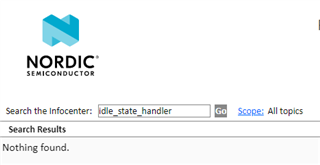
    Ah, yes, the idle_state_handler is not part of any library / module from the SDK per say - which is why it does not show up in the documentation -, but it is a simple function used to enter SYSTEM ON sleep mode in most of the BLE examples.
    You could take a look in most of the unmodified ble_peripheral examples, to see how it is implemented. It is in essence just a call to check whether there are any low-priority tasks that needs completion (log processing, in these cases), and if not it goes directly to SYSTEM ON sleep (CPU idle).

    nordev said:
    While I have your attention, since you have been so wonderfully helpful and responsive, can you help me with this other ticket? It has been open for 2 months now, and I have been having a hard time getting a response even after many follow-ups -- it has been usually 2 or 3 weeks in between replies from the rep. I keep having to send reminders or he will forget about my ticket, and sometimes I had to repeat the same info because it was so long in between responses. 

    Thank you for saying so, nordev! I'm happy to hear that you have found my comments helpful to your development :)
    Briefly looking through the other ticket I see that the progress has indeed slowed down, that's unfortunate! I've reached out to my colleague Joakim about it, and asked him how he is doing with this case.

    Best regards,
    Karl

Related