This post is older than 2 years and might not be relevant anymore
More Info: Consider searching for newer posts

How to configure nRF82540 for using multiple BLE packages in one connection interval?

Hi,

I try to achieve high throughput via BLE connection between two nRF82540dk boards. I would like to maximize duty cycle of transmission in the connection interval.
Unfortunately I observe only one or two BLE packets in each interval.
How can I configure SoftDevice to transmit more packets in one interval?

I use slighly modified ble_app_uart_c_pca10056_s140 and ble_app_uart_pca10056_s140 as starting point examples for the serial connection.
A stream of 244 bytes packets is sent from peripheral to the central device. 

Other options:
1) BLE PHY 2Mbps,
2) Connection interval = 7.5ms
3) NRF_SDH_BLE_GAP_EVENT_LENGTH = 6

Kind regards,

Piotr Romaniuk

Parents
  • Hello,

    I try to achieve high throughput via BLE connection between two nRF82540dk boards.

    Have you seen the throughput test results in the SoftDevice documentation? It details which parameters was used during the tests, to reach the different throughput speeds.

    I would like to maximize duty cycle of transmission in the connection interval.
    3) NRF_SDH_BLE_GAP_EVENT_LENGTH = 6

    Please change your event length to allow for more notifications being sent every connection event.
    Since you are only holding a single connection, you can use the entire 'duty-cycle' of the connection interval for this connection.
    You thus may set your event length to 500 (or any other high number), to allow for the event to span the entire interval, if needed.
    Could you also confirm for me that connection event length extension is configured in your project?
    It is default in all newer SDK versions, but I do not know which version you are working with. You might find this answer by my colleague helpful, for an explanation of the parameter.
    You may also find the online power-profiler useful to have a look at, to visualize how the different connection settings will affect your radio usage.

    Please try this, and let me know if you achieve the sought-after radio usage.

    Best regards,
    Karl

  • Hi Karl,

    Yes, I saw the documentation, it reports 1.4Mbps, I have only 250kbps. 

    Please change your event length to allow for more notifications being sent every connection event.
    Since you are only holding a single connection, you can use the entire 'duty-cycle' of the connection interval for this connection

    In my configuration Connection Interval is set 7.5ms, and NRF_SDH_BLE_GAP_EVENT_LENGTH = 6 (i.e. 6x1.25ms = 7.5ms) hence I assigned whole interval for communication. The chip should transmit with almost 100% duty cycle, but it doesn't.

    As you saw on the oscillogram above setting of the event length is not effective. The SoftDevice transmits mostly one packet in the cycle.

    What I am doing wrong?

    Kind regards,
    Piotr Romaniuk

    PS
    I am using SDK 17.0.2 (nRF5_SDK_17.0.2_d674dde)

  • Hi Karl,

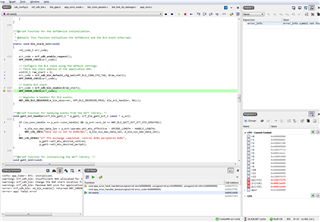
    DEBUG is not defined in my configuration but I see stack trace and location of APP_ERROR_CHECK that was critical:

    The error code was equal 4.

    Have you defined DEBUG in your preprocessor defines

    If I define DEBUG as you said, there are following messages:

    <info> app_timer: RTC: initialized.
    <warning> nrf_sdh_ble: Insufficient RAM allocated for the SoftDevice.
    <warning> nrf_sdh_ble: Change the RAM start location from 0x20002AE8 to 0x20002BF0.
    <warning> nrf_sdh_ble: Maximum RAM size for application is 0x3D410.
    <error> nrf_sdh_ble: sd_ble_enable() returned NRF_ERROR_NO_MEM.
    <error> app: ERROR 4 [NRF_ERROR_NO_MEM] at [...]\nordic\DeviceDownload\nRF5SDK1702d674dde\nRF5_SDK_171
    PC at: 0x000302F3

    Karl, I sent you private message, where I shared complete code (by a link to zip file) for both devices. I hope you can repeat my problem at your site. 

    Kind regards,

    Piotr Romaniuk

  • Hello again, Piotr

    Piotr Romaniuk said:
    If I define DEBUG as you said, there are following messages:

    Great, this is very helpful! 
    The API Reference documentation for the NRF_ERROR_NO_MEM error returned from sd_ble_enable reads:

    NRF_ERROR_NO_MEM One or more of the following is true:
    • The amount of memory assigned to the SoftDevice by *p_app_ram_base is not large enough to fit this configuration's memory requirement. Check *p_app_ram_base and set the start address of the application RAM region accordingly.
    • Dynamic part of the SoftDevice RAM region is larger then 64 kB which is currently not supported.

    Which suggests that your memory allocation for the SoftDevice are not big enough.
    This is also evident by the other warnings you are getting in your log, saying that the RAM allocated for the SoftDevice is insufficient.
    Please change the RAM start location in your memory allocation macros from 0x20002AE8 to 0x20002BF0 as indicated by the warning message in the log.
    Do this, and let me know if it resolves your issue.

    Best regards,
    Karl

  • Hi Karl,

    How can I change RAM start location?
    That value (i.e. 0x20002AE8) is somehow determined automatically and put into generated linker script.

    Kind regards,

    Piotr Romaniuk

  • Hi again,

    I built Nordic example with out my modifications: 
              ble_peripheral/ble_app_uart/pca10056/s140 with DEBUG macro defined.

    This example has the same memory error:

    <info> app_timer: RTC: initialized.
    <warning> nrf_sdh_ble: Insufficient RAM allocated for the SoftDevice.
    <warning> nrf_sdh_ble: Change the RAM start location from 0x20002AE8 to 0x20002BF0.
    <warning> nrf_sdh_ble: Maximum RAM size for application is 0x3D410.
    <error> nrf_sdh_ble: sd_ble_enable() returned NRF_ERROR_NO_MEM.
    <error> app: ERROR 4 [NRF_ERROR_NO_MEM] at C:\_Projekty\wiatr-tak\downloads\nordic\DeviceDownload\nRF5SDK1702d674dde\nRF5_SDK_17C at: 0x0002B1A3
    

    There are:
    1) Connection Interval 20-75ms,
    2) event length = 10

    Is this right that your example (means from Nordic - manufacturer of the chip) is not working? !!!

    Can you provide a full and working project that demonstrates high throughput?

    Kind regards,
    Piotr Romaniuk

  • Piotr Romaniuk said:
    How can I change RAM start location?

    The RAM start location macro can be found in the project options.
    Right click on your project in the project explorer of SES, select Options->common configuration->Linker->Section Placement Macros.

    Piotr Romaniuk said:
    Is this right that your example (means from Nordic - manufacturer of the chip) is not working? !!!

    Please tell me which SoftDevice version, SoC variant and SDK Version you are working with.
    I suspect that you have a missmatch between the SoftDevice and SDK version, please see the compatibility matrix.

    Best regards,
    Karl

Reply
  • Piotr Romaniuk said:
    How can I change RAM start location?

    The RAM start location macro can be found in the project options.
    Right click on your project in the project explorer of SES, select Options->common configuration->Linker->Section Placement Macros.

    Piotr Romaniuk said:
    Is this right that your example (means from Nordic - manufacturer of the chip) is not working? !!!

    Please tell me which SoftDevice version, SoC variant and SDK Version you are working with.
    I suspect that you have a missmatch between the SoftDevice and SDK version, please see the compatibility matrix.

    Best regards,
    Karl

Children
  • Please tell me which SoftDevice version, SoC variant and SDK Version you are working with.
    I suspect that you have a missmatch between the SoftDevice and SDK version

    Please scroll up to the first message!

    Kind regards,
    Piotr Romaniuk

  • Hello Piotr,

    Piotr Romaniuk said:
    Please scroll up to the first message!

    You only ever mention which SDK version and SoftDevice you are working with - SDK v17.0.2 and S140. SoC variant and SoftDevice version is still not known to me. I know that you are working with the S140 - but which version of the S140 are you working with? Which nRF52840 revision is it??
    I assume it is either nRF52840 revision 1 or 2, but I would like to be certain. You can find the build code on the nRF52840 chip.

    Please let me know which S140 version and nRF52840 SoC version you are working with, so I may rule out compatibility being the issue here.

    Best regards,
    Karl

  • Hi Karl,

    board 1:

      label on 1st chip:
          PCA10056
          2.0.1
          2020.43
          followed by the serrial number.

     nordic chip:
         N52840
         QIAAD0
         2007FV 


    and board 2:
         PCA10056
         2.0.1
         2020.37

    nordic chip
        N52840
        QIAAD0
        2020J8

    Are the numbers that you asked for?

    According to Softdevice version I only know that I use S140 from SDK 17.0.2. I don't know how to check more. Maybe I missunderstood version numbering [?]

    I thought that Softdevice is programmed together with my program as precompiled binary module. Is it true?
    I assumed that by selecting folder pca10056 and its subfolder S140 for Segger Embedded Studio project I have selected what chip version and Softdevice version I use. I also assumed that S140 will support all the chips.
    I am I wrong?

    Kind regards,

    Piotr Romaniuk

  • Hello Piotr,

    Piotr Romaniuk said:
    Are the numbers that you asked for?

    Yes, the numbers on the Nordic chip - QIAAD0 - is the build number, and tells us that these are Revision 2 chips, great!

    Piotr Romaniuk said:
    According to Softdevice version I only know that I use S140 from SDK 17.0.2. I don't know how to check more. Maybe I missunderstood version numbering [?]

    Thank you for clarifying.
    The SoftDevice is located at nRF5_SDK_17.0.2_d674dde\components\softdevice\s140\hex in the SDK, and the name will contain its version. If you have not made any changes to this, SDK 17.0.2 ships with S140 v7.2.0 by default.

    Piotr Romaniuk said:
    I thought that Softdevice is programmed together with my program as precompiled binary module. Is it true?

    This is correct, the SoftDevice is supplied as a precompiled hex file, which is programmed together with the application when the preprocessor defines S140 and SoftDevice_present is set. 

    Piotr Romaniuk said:
    I assumed that by selecting folder pca10056 and its subfolder S140 for Segger Embedded Studio project I have selected what chip version and Softdevice version I use. I also assumed that S140 will support all the chips.
    I am I wrong?

    No, you are not wrong - the SDK only contains compatible SoftDevice versions.
    The reason why I asked for SoftDevice version is because customers sometimes use older versions of them without ensuring that the SoftDevice version they are using is compatible with the SDK version they are using. This could have been the reason for the RAM adjustment warnings you are getting. It sounds to me like this is not the case here, however. My apologies if this seemed like a unnecessary detour from the issue, I just wanted to rule out compatibility issues being the cause.

    Did you try to do the RAM adjustments as detailed in the warning, by the way? Did this resolve the NRF_ERROR_NO_MEM error you were getting?

    Best regards,
    Karl

  • Hi Karl,

    I did not try yet RAM adjustment.
    Can you send me exact expression that I should write into linker window options?
    I browsed source code including linker script and I am really confused.

    I very concerned that the same problem (i.e. with memory) exists in Nordic original example (ble_uart project) without any modification. I plan to open new case for that, because it is basic code and is not influenced by any my changes.

    I am very worried that I stuck in some basic issue, that further coding depends on. We are sending one message per day.
    I am sending you private messages in chat window. I am not sure if you receive them?
    Maybe chat will be faster to determine the cause of the problem.

    Kind regards,
    Piotr Romaniuk

Related