This post is older than 2 years and might not be relevant anymore
More Info: Consider searching for newer posts

Heart rate monitor demo APP can't connect to the nRF52 DK after programming process in nRF Connect for Desktop software

Dear Sir:

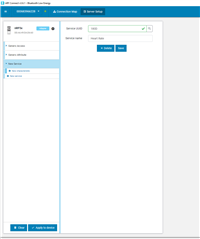
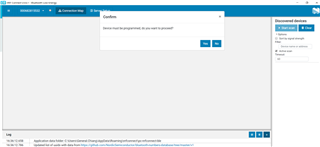
        I have a nRF52 DK. When I execute below programming process in nRF Connect for Desktop software, the Heart rate monitor demo APP can't connect to the nRF52 DK,
"the device does not have required services" message appears. How to solve the issue? thanks!!
Parents
  • Okay, when you enter the Bluetooth Low Energy app in nRFConnect for Desktop, it will prompt you to flash the device with BLE connectivity firmware which lets you interface and edit the firmware on the nRF52 DK yourself. This means that you erase the previously flashed application (ble_app_hrs in your case I assume), so that the Heart Rate Service is no longer on this device. This means you either need to flash the ble_app_hrs application onto the device, or you need to add the service (and necessary characteristics) to your BLE app in nRFConnect.

    Best regards,

    Simon

Reply
  • Okay, when you enter the Bluetooth Low Energy app in nRFConnect for Desktop, it will prompt you to flash the device with BLE connectivity firmware which lets you interface and edit the firmware on the nRF52 DK yourself. This means that you erase the previously flashed application (ble_app_hrs in your case I assume), so that the Heart Rate Service is no longer on this device. This means you either need to flash the ble_app_hrs application onto the device, or you need to add the service (and necessary characteristics) to your BLE app in nRFConnect.

    Best regards,

    Simon

Children
No Data
Related