This post is older than 2 years and might not be relevant anymore
More Info: Consider searching for newer posts

NRF52832 is stuck in DFU_Targ

Hello Team,

First of all thanks a lot.

I learned so many things from your Nordic devzone:)

My problem: I have uploaded the blinky code using pca10040_s132_ble [ secure_bootloader ] but after successfully uploadation  NRF52832  is stuck in DFU_Targ mode . 

I have used,

- NRF52832 dk

- SDK --> nRF5SDK160098a08e2

- Softdevice --> s132_nrf52_7.0.1_softdevice.hex

 - used micro-ecc library.

and I also  confused at some points, please  guide me,

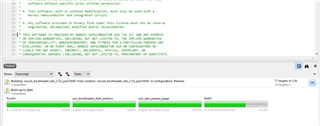
1) NRF52832 has 512 kb of flash and pca10040_s132_ble [ secure_bootloader ] example takes 511.0KB of flash

    so if I add other applications code [SGTL5000 and 2 two ADC interface ] inside it then it is possible?

my app code size is 256KB

My end goal is, I want to add DFU service with my existing code [ interfaced SGTL500 sensor on I2C and 2 Adc ].

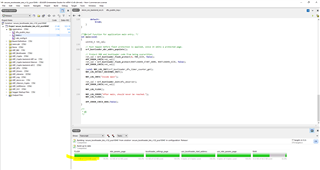
Here is the pca10040_s132_ble [ secure_bootloader ] example code zie.
 

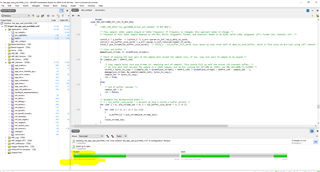
here is my customized code size.
Thanks in advacne!

  • Hello,

    I see that the bootloader project in SES says that it uses 511kB, but it doesn't actually do that. It is just something that is not completely right in the configuration of the project or something.

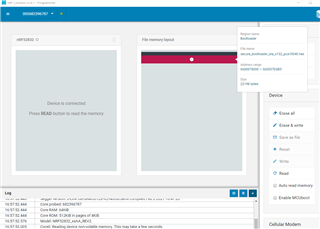
    To see how large the bootloader actually is, you can use nRF Connect for Desktop, and drag the bootloader hex file into the programmer app, and it will show you the start address and the size of the bootloader.

    I used SDK17.0.2 and the ses project in the secure bootloader to test this:

    You can see that it claims to be 511 bytes, but when I plug the hex file found in Output\Release\Exe\secure_bootloader_ble_s132_pca10040.hex into nRF Connect for Desktop -> Programmer:

    You can see that the bootloader starts at address 0x78000. The size is a little bit bigger than 22198 bytes, because the black line above the red one also belongs to the bootloader. In fact, all flash above 0x78000 belongs to the bootloader, but that means that all flash below 0x78000 can be used for the softdevice and your application.

    Best regards,

    Edvin

  • but I've still issue with DFU code

    - dfu code pca10040_s132_ble [ secure_bootloader ]is perfect with the NRF52832 development kit but not with my customize hardware

    my device again comes back into DFU mode after DFU process.

    I have followed the dfu process as mention below [ I've tried with SDK16 as well as with sdk17]

    - first I simply uploaded pca10040_s132_ble [ secure_bootloader ] example code in my customize hardware [used micro-ecc  library]  

    - from NRF ToolBox app I have updated the firmware, I have updated the Nordic_blinky code using app zip     format 

    but after the dfu process, my hardware is again coming back into DFU_Targ mode it does not go into Nordic_blinky mode.

    Is there something that I've missed?

    OR

    Is there something in the code that I have to add or remove?

    - Please note in my customize hardware I've connected the reset pin to the pull-up network directly, Is it create any issue?

    Thank!

  • I suggest that you flash the pca10040_s132_ble_debug [secure bootloader] project, and try the exact same thing, but monitor the RTT log from the bootloader. What does it say when it remains in DFU mode (DFU_Targ)?

  • Hello Edvin,

    I solved the problem:)

    Solution: I forgot to enable DFU_app button reset in sdk_config.h file

    Thanks for such good support!

    Dipak

Related