This post is older than 2 years and might not be relevant anymore
More Info: Consider searching for newer posts

nrf5340dk connection to a bosch's bhi260ab

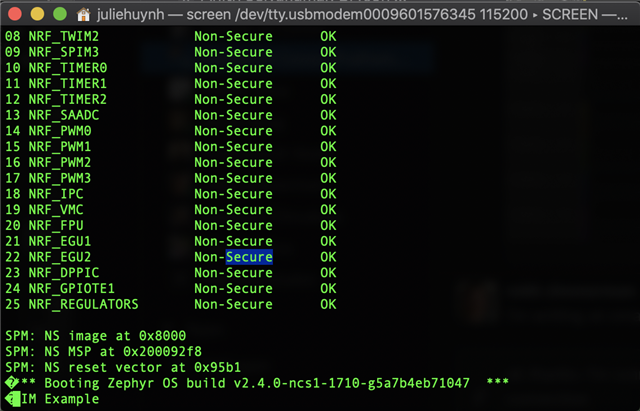
Using the sample code from this earlier devzone post , I've been trying establish communication with from my bosch sensor to my board. I have the code running:   and it's printing that the "spim example" but I'm not getting any confirmation print outs that the device is connecting, or that my test sends hit any error or is receiving any data.
Attached is my project: spi_only.zip

Parents
  • I was not able to build the sample, as the content inside spi_only\boards\nrf5340dk_nrf5340_cpuapp.overlay is not valid:

    • The spi1 node is not terminated (no "};" at the end of the node).
    • The property "def-char" is not declared for "nordic,nrf-spim" (SPI master), but for "nordic,nrf-spis.yaml"
    • There is no yaml file for the compatible "bosch,bhi260_bmm150", use "bosch,bmm150" instead

    &spi1 {
    	compatible = "nordic,nrf-spim";
    	status = "okay";
    	sck-pin = <4>;
    	mosi-pin = <5>;
    	miso-pin = <6>;
    	cs-gpios = < &gpio0 7 GPIO_ACTIVE_LOW>;
    	def-char = <0x00>;
    
    	spi_dev:bhi260ab_bmm150@2B {
    		compatible = "bosch,bhi260_bmm150";
    		reg = <0x2B>;
    		spi-max-frequency = <4000000>;
    		int1-gpios = <&gpio0 10 GPIO_ACTIVE_HIGH>;
    	};
    

    I suspect that you didn't use the same name as your overlay folder when building it (such that the overlay file was just ignored),  since you were actually able to run the sample.

    If you create an overlay file with the name nrf5340dk_nrf5340_cpuapp.overlay you should build using the board nrf5340dk_nrf5340_cpuapp for the changes in the overlay file to take effect.


    I would recommend you to use the sample \zephyr\samples\sensor\bmm150\src\main.c as a reference for how to go about it. There is no overlay file in that sample for your particluar board, so you have to add it yourself. Take a look at e.g. https://github.com/nrfconnect/sdk-nrf/blob/v1.4.2/samples/nfc/tnep_poller/nrf5340dk_nrf5340_cpuapp.overlay to get a general idea how to implement the overlay file.

    Best regards,

    Simon

Reply
  • I was not able to build the sample, as the content inside spi_only\boards\nrf5340dk_nrf5340_cpuapp.overlay is not valid:

    • The spi1 node is not terminated (no "};" at the end of the node).
    • The property "def-char" is not declared for "nordic,nrf-spim" (SPI master), but for "nordic,nrf-spis.yaml"
    • There is no yaml file for the compatible "bosch,bhi260_bmm150", use "bosch,bmm150" instead

    &spi1 {
    	compatible = "nordic,nrf-spim";
    	status = "okay";
    	sck-pin = <4>;
    	mosi-pin = <5>;
    	miso-pin = <6>;
    	cs-gpios = < &gpio0 7 GPIO_ACTIVE_LOW>;
    	def-char = <0x00>;
    
    	spi_dev:bhi260ab_bmm150@2B {
    		compatible = "bosch,bhi260_bmm150";
    		reg = <0x2B>;
    		spi-max-frequency = <4000000>;
    		int1-gpios = <&gpio0 10 GPIO_ACTIVE_HIGH>;
    	};
    

    I suspect that you didn't use the same name as your overlay folder when building it (such that the overlay file was just ignored),  since you were actually able to run the sample.

    If you create an overlay file with the name nrf5340dk_nrf5340_cpuapp.overlay you should build using the board nrf5340dk_nrf5340_cpuapp for the changes in the overlay file to take effect.


    I would recommend you to use the sample \zephyr\samples\sensor\bmm150\src\main.c as a reference for how to go about it. There is no overlay file in that sample for your particluar board, so you have to add it yourself. Take a look at e.g. https://github.com/nrfconnect/sdk-nrf/blob/v1.4.2/samples/nfc/tnep_poller/nrf5340dk_nrf5340_cpuapp.overlay to get a general idea how to implement the overlay file.

    Best regards,

    Simon

Children
No Data
Related