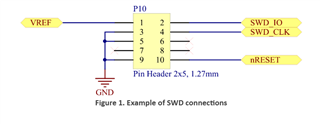
I have a custom board with an nRF52840 that uses high-voltage mode (5V on VDDH) and the chips internal voltage regulators. This requires setting REGOUT0 to 3.3V. My firmware sets this correctly (along with both DC/DC enables) and the board works great.
However, after wiping the chip (usually via --recover), REGOUT0 returns to its default of 1.8V. This sometimes causes the debugger to fail to access the chip. It happens when using an nRF52840-DK as well as a stand-alone JTAG debugger. I suspect a brown-out, because when I inject 1.8V externally, the debugger functions just fine.
nrfjprog doesn't allow using the --memwr flag along with the --recover flag. Executing a separate nrfjprog --memwr command immediately following a --recover command sometimes succeeds, but sometimes fails.
I would like a better solution than hooking up an external power supply to my debugger every time I need to bring up a new board, or want to wipe a board to build from scratch.