This post is older than 2 years and might not be relevant anymore
More Info: Consider searching for newer posts

Modem DFU via MCUboot freezes at Step 1/2 (updating firmware).

Hi all,

I am trying to get started with the Nordic thingy 91 but I am not able to update the latest firmware.

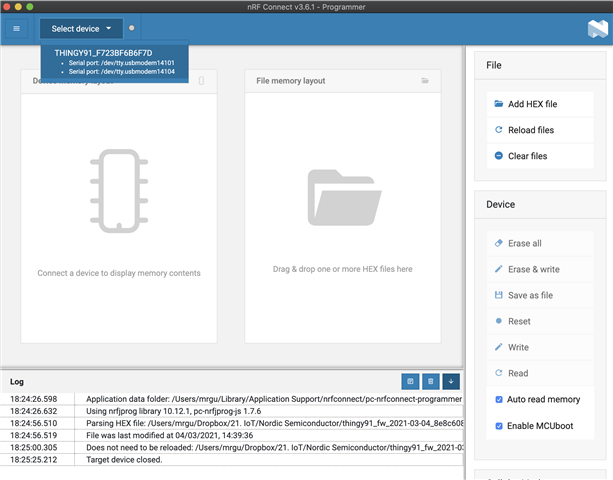
The programmer is only showing one Serial port. The instructions says there should be two? (first photo)

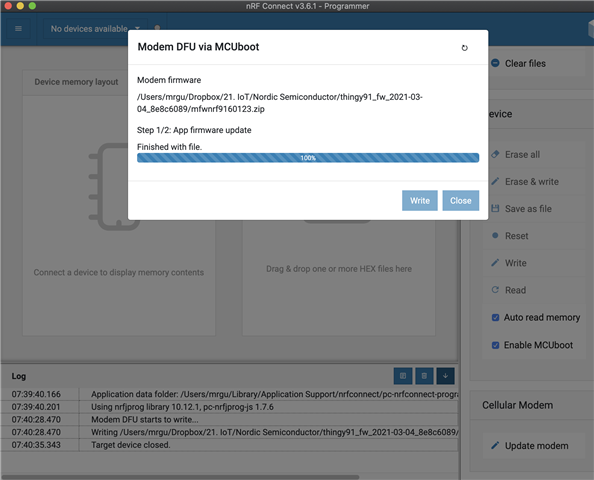
The programmer freezes at the end of Step 1/2. (second photo)

I am using MacOS Catalina v.(10.15.7).

Any ideas :)?

Parents
  • Hi!

    Try updating the FW on the nRF52840 first. It's called "Connectivity Bridge" and should be in the folder with FW images you downloaded from our website. Make sure to press SW4 instead of SW3 when putting the device in serial recovery mode.

    Best regards,

    Heidi

  • Heidi,

    Thank you very much for your reply. I followed the below steps. However, afterward, the Thingy 91 will not respond, no LED light and it says disconnect on my nrfcloud account. Earlier it was connected and uploaded data accordingly. What could I be doing wrong?

    1. Updated nRF52840 the "connectivity bridge" .hex file using SW4 button to trigger recovery mode (photo 1)

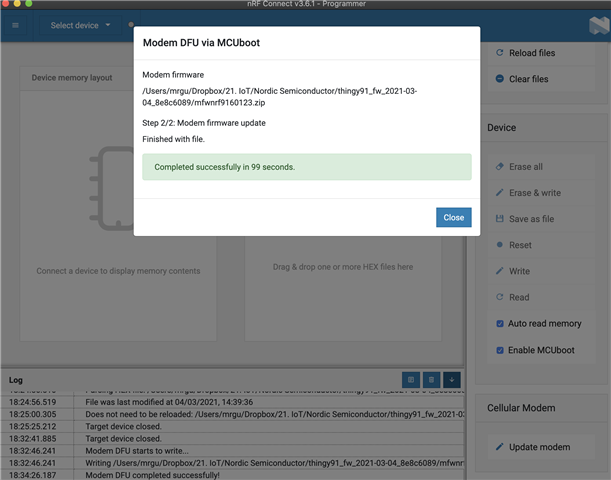
    2. Updated nRF9160 with latest "Precompiled application and modem firmware) using SW3 button to trigger recover mode (photo 2) 

    Photo 1

    Photo 2

Reply
  • Heidi,

    Thank you very much for your reply. I followed the below steps. However, afterward, the Thingy 91 will not respond, no LED light and it says disconnect on my nrfcloud account. Earlier it was connected and uploaded data accordingly. What could I be doing wrong?

    1. Updated nRF52840 the "connectivity bridge" .hex file using SW4 button to trigger recovery mode (photo 1)

    2. Updated nRF9160 with latest "Precompiled application and modem firmware) using SW3 button to trigger recover mode (photo 2) 

    Photo 1

    Photo 2

Children
Related