I can't seem to delete my post, but my Common->Preprocessor->User Include Directories path was incorrect (included an extra folder name)! My problem is resolved.
I am new to nRF and Segger, coming from PIC enviroment... I'm using a brand new copy of "ble_app_uart solution". I cannot create a file from within SES that I can then use to #include in my Solution.
However, if I create a .c and .h file in Visual Studio I can include both of them in my Solution and that seems to work fine. However, it only seems to work once. Subsequent files created with Visual Studio/"include existing file" doesn't work, and intellisense doesn't recognized the newly created .h from main.c
I have set up the Common->Preprocessor->User Include Directories correctly. "ble.h" works. However, moving ses created files to the same folder as "ble.c" does not work.
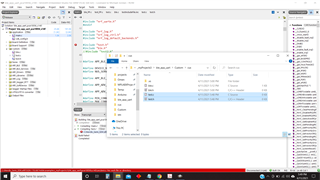
In the attached image ble.c works correctly (created in Visual Studio). The file created within ses: "test.c" does not work correctly, also it has as a different icon and subfolders...?
Creating a .c/.h file in the PIC IDE would work. I'm not sure what I'm not understanding about ses...
If I wanted to create custom .c and .h files how is it done within ses???
EDIT: my Common->Preprocessor->User Include Directories path was incorrect! My problem is resolved.