This post is older than 2 years and might not be relevant anymore
More Info: Consider searching for newer posts

How do you use Sniffer?

https://www.nordicsemi.com/Software-and-tools/Development-Tools/nRF-Sniffer-for-Bluetooth-LE/Download#infotabs

After connecting the nRF52-DK and the computer, I entered the sniffer_nrf52dk_nrf52832_7cc811f file into the removable disk that comes out, but an unknown message is displayed on the UART monitor.
How to use this software?

Parents
  • I entered the sniffer_nrf52dk_nrf52832_7cc811f file into the removable disk that comes out, but an unknown message is displayed on the UART monitor.

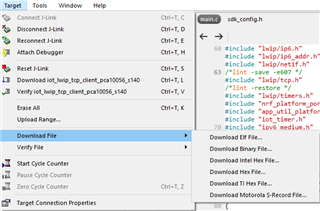
     This is not the correct way to program the firmware. You should program sniffer_nrf52dk_nrf52832_7cc811f.hex into the chip through JLink. You have two options:

    1. Program with SEGGER EMBEDDED STUIOD


    2. nRF Command Line Tools 

    nrfjprog -f nrf52 --program HEXFILE_PATH --sectorerase
    nrfjprog -f nrf52 --reset


    You can find more information about nRF52-DK from this page.

Reply
  • I entered the sniffer_nrf52dk_nrf52832_7cc811f file into the removable disk that comes out, but an unknown message is displayed on the UART monitor.

     This is not the correct way to program the firmware. You should program sniffer_nrf52dk_nrf52832_7cc811f.hex into the chip through JLink. You have two options:

    1. Program with SEGGER EMBEDDED STUIOD


    2. nRF Command Line Tools 

    nrfjprog -f nrf52 --program HEXFILE_PATH --sectorerase
    nrfjprog -f nrf52 --reset


    You can find more information about nRF52-DK from this page.

Children
No Data
Related