

Hi,
I'm a beginer with Nordic Semi tools, I use windows 10 on a laptop HP-15DW1023NF.
# nRFConnect System Report - 2021-04-28T13-47-40.767Z

- System:     HP HP Laptop 15-dw1xxx
- BIOS:       Insyde HPQOEM - 2
- CPU:        1 x Intel® Core™ i5-10210U 1.60 GHz 8 cores (4 physical)
- Memory:     3.5 GB free of 7.8 GB total
- Filesystem: C: (NTFS) 232 GB 38.7% used

- OS:         Microsoft Windows 10 Famille (10.0.19042) win32 ia32

- Versions
    - kernel: 10.0.19042
    - git: 2.31.1.windows.1
    - node: 12.13.0
    - python: 3.9.4
    - python3:

- Connected devices:
I received last week a nrf5340DK (PCA10095 0.11.0 2020.51 960132679) and I installed nrf Connect for desktop V3.6.1, Toolchain manager, SES V5.10d.
I can download samples (peripheral_hr and peripheral_lbs) with v1.4.0 and v1.4.2 (configuration nrf5340DK_nrf5340_cpuapp)
It's working well if i download hci_open_amp.hex with "Programmer" before I download peripheral_lbs with SES.(led1 blinking, I can connect to the App nrf Blinky, than Led 2 on when connected, Led 3 on/off, button 1 pressed and released)
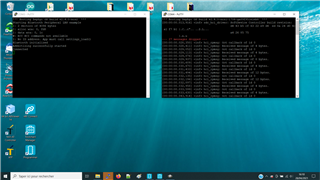
But if I erase all with "Programmer" before downloading peripheral_lbs with SES, nothing happen. (Led1 non blinking, no bluetooth connection)
With v15.0 and v1.51(configuration nrf5340DK_nrf5340_cpuapp), nothing working, I build and download with SES peripheral_lbs, no error download succesfull but nothing work.
if I download hci_open_amp with "Programmer" before I download peripheral_lbs with SES, I have an error "Bus Fault"
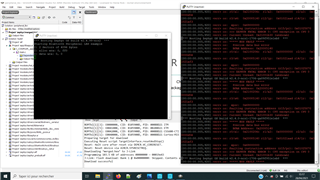
if I erase all with "Programmer" before download peripheral_lbs with SES, no error, nothing happen.
At the end, I would like to try peripheral_uart for my application, but it donot work in all case.
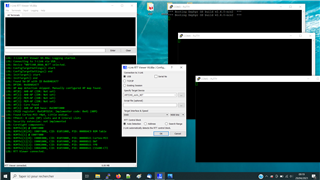
I think I do something wrong with the installation of Toolchain.
Could you help me, please.
Best regards,
Rob

