This post is older than 2 years and might not be relevant anymore
More Info: Consider searching for newer posts

Merging nRF52 blinky into uart for peripheral as well as central role.

I'm merging nRF5_SDK_17.0.2_d674dde\examples\ble_peripheral\ble_app_blinky\pca10040\s132\ses to nRF5_SDK_17.0.2_d674dde\examples\ble_peripheral\ble_app_uart\pca10040\s132\ses, but getting error. Also, I want to merge nRF5_SDK_17.0.2_d674dde\examples\ble_central\ble_app_blinky_c\pca10056\s140\ses to nRF5_SDK_17.0.2_d674dde\examples\ble_central\ble_app_uart_c\pca10056\s140\ses. Can anybody help me? or If their already merged then it will be benefit.

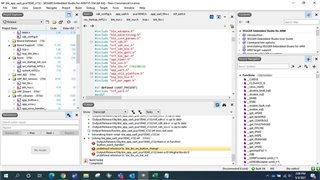
Please find below error screenshot,
Parents
  • Hi,

    I don't think we have any ready examples that merges ble_app_blinky and ble_app_uart.

    If you can upload your project here, then I will take a look at what's missing.

  • Hi,

    Waiting for reply.

    Regards,

    Megha Choudhari

  • Hi,

    1. Peripheral & Central side, build & test again. Both works fine. Means while pressing button1 from Peripheral, LED 3 from Central blinks.

    2. After that added data send from Peripheral logic in main.c,


    /**@brief Function for handling events from the button handler module.

    *

    * @param[in] pin_no        The pin that the event applies to.

    * @param[in] button_action The button action (press/release).

    */

    static void button_event_handler(uint8_t pin_no, uint8_t button_action)

    {

            ret_code_t err_code;


            switch (pin_no)

            {

            case LEDBUTTON_BUTTON:

                    NRF_LOG_INFO("Send button0 state change.");

                    err_code = ble_lbs_on_button_change(m_conn_handle, &m_lbs, button_action);

                    if (err_code != NRF_SUCCESS &&

                        err_code != BLE_ERROR_INVALID_CONN_HANDLE &&

                        err_code != NRF_ERROR_INVALID_STATE &&

                        err_code != BLE_ERROR_GATTS_SYS_ATTR_MISSING)

                    {

                            APP_ERROR_CHECK(err_code);

                    }

                    if (m_conn_handle != BLE_CONN_HANDLE_INVALID)

                    {

                         err_code = ble_nus_data_send(&m_nus, "BT0PRES\r\n",9, m_conn_handle);


                    }

                    break;

             default:

                    APP_ERROR_HANDLER(pin_no);

                    break;

            }

    }

    3. Build & test again. Able to get data also on Central while pressing Button1 from Peripheral.

    4. Now to add second button done below changes in main.c, 

    Peripheral:


    #define LEDBUTTON_BUTTON1               BSP_BUTTON_1


    /**@brief Function for initializing the button handler module.

    */

    static void buttons_init(void)

    {

            ret_code_t err_code;


            //The array must be static because a pointer to it will be saved in the button handler module.

            static app_button_cfg_t buttons[] =

            {

                    {LEDBUTTON_BUTTON, false, BUTTON_PULL, button_event_handler},

                    {LEDBUTTON_BUTTON1, false, BUTTON_PULL, button_event_handler}

            };


            err_code = app_button_init(buttons, ARRAY_SIZE(buttons),

                                       BUTTON_DETECTION_DELAY);

            APP_ERROR_CHECK(err_code);

    }

    /**@brief Function for handling events from the button handler module.

    *

    * @param[in] pin_no        The pin that the event applies to.

    * @param[in] button_action The button action (press/release).

    */

    static void button_event_handler(uint8_t pin_no, uint8_t button_action)

    {

            ret_code_t err_code;


            switch (pin_no)

            {

            case LEDBUTTON_BUTTON:

                    NRF_LOG_INFO("Send button0 state change.");

                    err_code = ble_lbs_on_button_change(m_conn_handle, &m_lbs, button_action);

                    if (err_code != NRF_SUCCESS &&

                        err_code != BLE_ERROR_INVALID_CONN_HANDLE &&

                        err_code != NRF_ERROR_INVALID_STATE &&

                        err_code != BLE_ERROR_GATTS_SYS_ATTR_MISSING)

                    {

                            APP_ERROR_CHECK(err_code);

                    }

                    if (m_conn_handle != BLE_CONN_HANDLE_INVALID)

                    {

                         err_code = ble_nus_data_send(&m_nus, "BT0PRES\r\n",9, m_conn_handle);


                    }

                    break;

             case LEDBUTTON_BUTTON1:

                    NRF_LOG_INFO("Send button1 state change.");

                    err_code = ble_lbs_on_button_change(m_conn_handle, &m_lbs, button_action);

                    if (err_code != NRF_SUCCESS &&

                        err_code != BLE_ERROR_INVALID_CONN_HANDLE &&

                        err_code != NRF_ERROR_INVALID_STATE &&

                        err_code != BLE_ERROR_GATTS_SYS_ATTR_MISSING)

                    {

                            APP_ERROR_CHECK(err_code);

                    }

                    if (m_conn_handle != BLE_CONN_HANDLE_INVALID)

                    {

                         err_code = ble_nus_data_send(&m_nus, "BT1PRES\r\n",9, m_conn_handle);


                    }

                    break;

            default:

                    APP_ERROR_HANDLER(pin_no);

                    break;

            }

    }


    Central:


    #define LEDBUTTON_LED1                 BSP_BOARD_LED_3


    /**@brief Handles events coming from the LED Button central module.

    */

    static void lbs_c_evt_handler(ble_lbs_c_t * p_lbs_c, ble_lbs_c_evt_t * p_lbs_c_evt)

    {

            switch (p_lbs_c_evt->evt_type)

            {

            case BLE_LBS_C_EVT_DISCOVERY_COMPLETE:

            {

                    ret_code_t err_code;


                    err_code = ble_lbs_c_handles_assign(&m_ble_lbs_c,

                                                        p_lbs_c_evt->conn_handle,

                                                        &p_lbs_c_evt->params.peer_db);

                    NRF_LOG_INFO("LED Button service discovered on conn_handle 0x%x.", p_lbs_c_evt->conn_handle);


                    err_code = app_button_enable();

                    APP_ERROR_CHECK(err_code);


                    // LED Button service discovered. Enable notification of Button.

                   err_code = ble_lbs_c_button_notif_enable(p_lbs_c);

                    APP_ERROR_CHECK(err_code);

            } break; // BLE_LBS_C_EVT_DISCOVERY_COMPLETE


            case BLE_LBS_C_EVT_BUTTON_NOTIFICATION:

            {

                    NRF_LOG_INFO("Button state changed on peer to 0x%x.", p_lbs_c_evt->params.button.button_state);

                    if (p_lbs_c_evt->params.button.button_state)

                    {

                            bsp_board_led_on(LEDBUTTON_LED);

                    }

                    else

                    {

                            bsp_board_led_off(LEDBUTTON_LED);

                    }

            } break; // BLE_LBS_C_EVT_BUTTON_NOTIFICATION


            case BLE_LBS_C_EVT_BUTTON1_NOTIFICATION:

            {

                    NRF_LOG_INFO("Button state changed on peer to 0x%x.", p_lbs_c_evt->params.button.button_state);

                    if (p_lbs_c_evt->params.button.button_state)

                    {

                            bsp_board_led_on(LEDBUTTON_LED1);

                    }

                    else

                    {

                            bsp_board_led_off(LEDBUTTON_LED1);

                    }

            } break; // BLE_LBS_C_EVT_BUTTON_NOTIFICATION


            default:

                    // No implementation needed.

                    break;

            }

    }

    5. Build & test again, observe that even though pressing second button from Peripheral & LED3 blinks from Central. Beside this LED4 from Central should glow.

    For this debug into code, found that

    Central:

    ble_lbs_c.c


    static void on_hvx(ble_lbs_c_t * p_ble_lbs_c, ble_evt_t const * p_ble_evt)

    {

        // Check if the event is on the link for this instance.

        if (p_ble_lbs_c->conn_handle != p_ble_evt->evt.gattc_evt.conn_handle)

        {

            return;

        }

        // Check if this is a Button notification.

        if (p_ble_evt->evt.gattc_evt.params.hvx.handle == p_ble_lbs_c->peer_lbs_db.button_handle)

        {

            if (p_ble_evt->evt.gattc_evt.params.hvx.len == 1)

            {

                ble_lbs_c_evt_t ble_lbs_c_evt;


                ble_lbs_c_evt.evt_type                   = BLE_LBS_C_EVT_BUTTON_NOTIFICATION;

                ble_lbs_c_evt.conn_handle                = p_ble_lbs_c->conn_handle;

                ble_lbs_c_evt.params.button.button_state = p_ble_evt->evt.gattc_evt.params.hvx.data[0];

                p_ble_lbs_c->evt_handler(p_ble_lbs_c, &ble_lbs_c_evt);

            }

        }

    }


    In this function BLE_LBS_C_EVT_BUTTON_NOTIFICATION is assigned. So that it always executes only this case.                               

    How to add second here i.e. BLE_LBS_C_EVT_BUTTON1_NOTIFICATION, so that both Button functionality work on individual buttons.

    Used SDK 17.0.2

    Peripheral : 

    nRF5_SDK_17.0.2_d674dde\examples\ble_peripheral

    link-  https://smetgroup-my.sharepoint.com/:u:/g/personal/megha_choudhari_mysmindia_com/EcAgxjSaa4ZDgGUaAkc4RccBnUajSAo8G8iTqsJl28f4gg?e=LFDyaN

    Central :

    nRF5_SDK_17.0.2_d674dde\examples\ble_central

    link- https://smetgroup-my.sharepoint.com/:u:/g/personal/megha_choudhari_mysmindia_com/EfN0RUjYB-lCuHd5gFP7DI8BwoppdFW30F8N349diTKU2Q?e=hgkbvx

    Almost is it done, kindly help here.

    Looking for your reply.

    Regards,

    Megha Choudhari

  • Hi,

    When can I expect reply?

    Regards,

    Megha Choudhari

  • Hi,

    Kindly reply to last query.

    Regards,

    Megha Chodhari

  • Hi,

    The LBS does by default only support 1 LED/button, if you are using a lot of LEDs/Buttons, then the LBS service/characteristic implementation needs some modifications. But if you only have a few LEDs/buttons, then this approach shown in this post here might be the easiest to use:

    https://devzone.nordicsemi.com/f/nordic-q-a/70023/controlling-multiple-buttons-and-leds-from-central-or-peripheral

Reply Children
Related