This post is older than 2 years and might not be relevant anymore
More Info: Consider searching for newer posts

Segger Embedded Studio - Execute Function Timed Out, Can't Start / Pause / Restart execution from IDE

Hi,

My program suddenly stop working and I get this error message
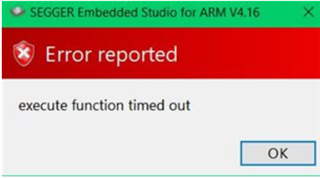
This happening when I want to go in Debug Mode (Debug > Go).I cannot start the program anymore.

I really don't understand what causes this. Is there a mean to debug this and understand the causes please? It is really strange because my program were working well and one day it has started sending this error message.

Trying to download other program from "Examples" folder works well on my PCB10040. It seems like the problem is related to my program.

I noticed that removing the initialization of the mesh stack allows to start the program but I cannot get rid of this. This means that the mesh stack initialization might be the cause.

I am stuck on this. Please help.

Thanks.

BR

Parents
  • Hi,

    I don't recognize the error, but I suspect it could be related to your debugger settings as it occurs when you attempt to enter debug mode. Maybe something could have gotten changed inadvertently?

    I would suggest that you compare these settings against a working one. I can also try to go over the settings if you are able to upload your *emProject file here.

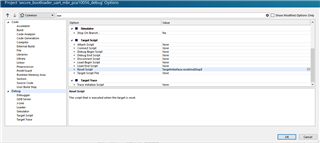
    SES Debug settings menu

    Best regards,

    Vidar

Reply
  • Hi,

    I don't recognize the error, but I suspect it could be related to your debugger settings as it occurs when you attempt to enter debug mode. Maybe something could have gotten changed inadvertently?

    I would suggest that you compare these settings against a working one. I can also try to go over the settings if you are able to upload your *emProject file here.

    SES Debug settings menu

    Best regards,

    Vidar

Children
Related