This post is older than 2 years and might not be relevant anymore
More Info: Consider searching for newer posts

Automating BLE test case using Segger embedded studio IDE and nrf5_sdk_17.0.2_d674dde SDK

Hi,

Setup:

DK : nRF-52840 PCA 10056

IDE 
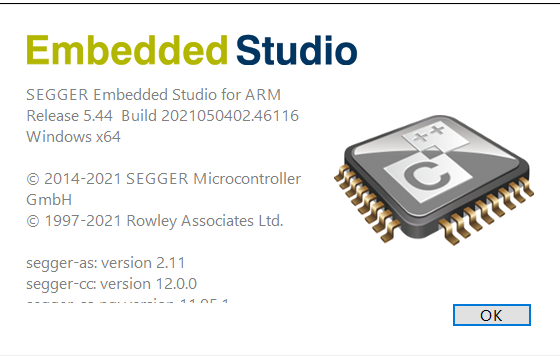
SDK : nRF5_SDK_17.0.2_d674dde

Coding Language : C

Please find 5 queries listed below.

1) My plan is to automate BLE test case's, Is it achievable using the above IDE and SDK ?

2) I've modified the advertiser name parameter in the code, compiled and generated hex file then flashed on DK - works fine as expected(able to capture modified advertiser name from logs)

3) Could not change the manufacture name(part of advertising parameter)

Role : Peripheral

Example : ble_app_hrs

Path : C:\Users\uprane\Desktop\NRF\DeviceDownload\nRF5_SDK_17.0.2_d674dde\examples\ble_peripheral\ble_app_hrs\pca10056\s140\ses

Hex File : ble_app_hrs_pca10056_s140

Can you help me in the code logic for modifying all advertiser parameter and ATT characteristics ?

4) Using SDK : nRF5_SDK_17.0.2_d674dde and Segger Embedded studio IDE is it possible to change all the BLE parameter including ATT characteristics ?  

5) Could you please share me any specific hex file to run automation where I can customize all values/parameter ? 

Stuck in between please help me in this matter asap. Try to give me explanation for each question so that it will be easy for me to understand.

Thanks & Regards,

Pranesh N 

Parents
  • Hi Pranesh

    1) My plan is to automate BLE test case's, Is it achievable using the above IDE and SDK ?

    It would be nice to get a bit more details about what kind of tests you are planning to run, but in general there is no reason why you can't implement automated BLE tests with SES and the nRF5 SDK. 

    Most parameters of the BLE stack (SoftDevice) can be dynamically changed in order to test different parameters, and in those cases where something can not be dynamically changed you can always disable and re-enable the SoftDevice in order to change it (as an example you can not remove a GATT service from the attribute table without disabling the SoftDevice). 

    An important aspect to determine is what the goal of your tests are: If you want to test that your end product works according to spec then it is important to test it with the same firmware that you will use in production, rather than test it in an artificial test configuration. 

    Hardware PHY testing you can do using the DTM example, which we include in the SDK. 

    3) Could not change the manufacture name(part of advertising parameter)

    I am a bit unsure what you are referring to here.

    There is no manufacturer name Advertising Data Type. You have the local name ("Nordic_HRM" in the example), and you have something called 'Manufacturer specific data', but no manufacturer name. 

    Most likely you are referring to the manufacturer name characteristic in the Device Information service, which is available once you connect to your device and do service discovery (after which you can access the GATT services). 

    In order to change the values in the Device Information service you have to configure the dis_init struct before the call to ble_dis_init(..), around line 520 in main.c of the ble_app_hrm example:

    // Initialize Device Information Service.
    memset(&dis_init, 0, sizeof(dis_init));
    
    ble_srv_ascii_to_utf8(&dis_init.manufact_name_str, (char *)MANUFACTURER_NAME);
    
    dis_init.dis_char_rd_sec = SEC_OPEN;
    
    err_code = ble_dis_init(&dis_init);
    APP_ERROR_CHECK(err_code);

    As you can see from line 520 the manufacturer name is set based on the MANUFACTURER_NAME define on line 86 of main.c

    4) Using SDK : nRF5_SDK_17.0.2_d674dde and Segger Embedded studio IDE is it possible to change all the BLE parameter including ATT characteristics ?  

    The SDK and SES give you control over all BLE features supported by the SoftDevice, yes. 

    It is up to the application to decide which GATT services and characteristics to include, and most SDK examples handle this in the services_init(..) function in main.c.

    Each service is implemented as a separate C and H file, and is initialized by configuring an init struct (hrs_init, bas_init, dis_init etc), and calling the appropriate init function (ble_hrs_init for example). 

    If you open the "nRF_BLE_Services" group in Segger Embedded Studio you can find the implementation for the services used by your current project. 

    5) Could you please share me any specific hex file to run automation where I can customize all values/parameter ? 

    How are you planning to customize the parameters? From a script or terminal on the PC?

    The closest we have to what you are asking is the nRF Connect for Desktop bluetooth module, which allow you to connect a dongle or DK to your PC and control the Bluetooth stack from there. You can read more about this here.

    Kindest regards
    Torbjørn 

Reply
  • Hi Pranesh

    1) My plan is to automate BLE test case's, Is it achievable using the above IDE and SDK ?

    It would be nice to get a bit more details about what kind of tests you are planning to run, but in general there is no reason why you can't implement automated BLE tests with SES and the nRF5 SDK. 

    Most parameters of the BLE stack (SoftDevice) can be dynamically changed in order to test different parameters, and in those cases where something can not be dynamically changed you can always disable and re-enable the SoftDevice in order to change it (as an example you can not remove a GATT service from the attribute table without disabling the SoftDevice). 

    An important aspect to determine is what the goal of your tests are: If you want to test that your end product works according to spec then it is important to test it with the same firmware that you will use in production, rather than test it in an artificial test configuration. 

    Hardware PHY testing you can do using the DTM example, which we include in the SDK. 

    3) Could not change the manufacture name(part of advertising parameter)

    I am a bit unsure what you are referring to here.

    There is no manufacturer name Advertising Data Type. You have the local name ("Nordic_HRM" in the example), and you have something called 'Manufacturer specific data', but no manufacturer name. 

    Most likely you are referring to the manufacturer name characteristic in the Device Information service, which is available once you connect to your device and do service discovery (after which you can access the GATT services). 

    In order to change the values in the Device Information service you have to configure the dis_init struct before the call to ble_dis_init(..), around line 520 in main.c of the ble_app_hrm example:

    // Initialize Device Information Service.
    memset(&dis_init, 0, sizeof(dis_init));
    
    ble_srv_ascii_to_utf8(&dis_init.manufact_name_str, (char *)MANUFACTURER_NAME);
    
    dis_init.dis_char_rd_sec = SEC_OPEN;
    
    err_code = ble_dis_init(&dis_init);
    APP_ERROR_CHECK(err_code);

    As you can see from line 520 the manufacturer name is set based on the MANUFACTURER_NAME define on line 86 of main.c

    4) Using SDK : nRF5_SDK_17.0.2_d674dde and Segger Embedded studio IDE is it possible to change all the BLE parameter including ATT characteristics ?  

    The SDK and SES give you control over all BLE features supported by the SoftDevice, yes. 

    It is up to the application to decide which GATT services and characteristics to include, and most SDK examples handle this in the services_init(..) function in main.c.

    Each service is implemented as a separate C and H file, and is initialized by configuring an init struct (hrs_init, bas_init, dis_init etc), and calling the appropriate init function (ble_hrs_init for example). 

    If you open the "nRF_BLE_Services" group in Segger Embedded Studio you can find the implementation for the services used by your current project. 

    5) Could you please share me any specific hex file to run automation where I can customize all values/parameter ? 

    How are you planning to customize the parameters? From a script or terminal on the PC?

    The closest we have to what you are asking is the nRF Connect for Desktop bluetooth module, which allow you to connect a dongle or DK to your PC and control the Bluetooth stack from there. You can read more about this here.

    Kindest regards
    Torbjørn 

Children
No Data
Related