This post is older than 2 years and might not be relevant anymore
More Info: Consider searching for newer posts

Reducing the characteristic discovery time for peripheral device

We have a nrf52840 in peripheral mode and with with custom services characteristics added. we want to reduce the over all connection time when we try to connect with central device.

can you suggest us some suggestions to reduce the connection time  ? ( we can see at our end connection time nearly taking 1sec)

Thanks,

Srikanth R V

  • Hello Srikanth R V,

    Is the devices you intend to connect previously bonded, or is the intention that a single peripheral device always will reconnect to the same central device?

    can you suggest us some suggestions to reduce the connection time  ? ( we can see at our end connection time nearly taking 1sec)

    A general way to decrease the time it takes to discover and connect to a device is to reduce the advertising interval. The faster the peripheral is advertising, the faster the central will pick up an advertising and establish the connection.
    Additionally, depending on your use case, you can use some of the faster advertising modes. This can greatly reduce (re-)connection time, at the expense of increased power consumption.
    Additionally, you need to make sure that the central is scanning in this same period that the peripheral is advertising.
    Please be advised that increasing the scanning window, or decreasing the advertising interval, both increase the device's current consumption.

    Please do not hesitate to ask if any part of my question is unclear, or if you have any other issues or questions.

    Best regards,
    Karl

  • Hi Karl,

    our's is a open connection peripheral  any central device can connect. 

    Its looks like discovery of services and characteristics is taking more time.  

    Is there any way to configure peripheral device to achieve better discovery time from central.

    Thanks,

    Srikanth R V

  • Hello again,

    Srikanth said:
    our's is a open connection peripheral  any central device can connect.

    Thank you for clarifying.

    Srikanth said:

    Its looks like discovery of services and characteristics is taking more time.  

    Is there any way to configure peripheral device to achieve better discovery time from central.

    If it is the discovery of services and characteristics that is taking a long time, and not establishing the connection, then there are some other things you can do to speed this up.
    For example, you can make sure to use the 2 Mbps PHY and change the connection interval to 7.5 ms (the shortest possible) until service discovery is done. This will consume more power, but it will also make the exchanges between your devices happen a lot faster.

    Are you familiar with the nRF Sniffer tool? It is a powerful tool to wield when developing with BLE since it lets you monitor the on-air BLE traffic. Could you use this tool to capture a trace of the connection process that you think is taking too long, so we may take a look at what is happening on the air?
    Make sure to select your advertising device in the "Device select" dropdown menu. This will make the sniffer follow into the connections that this peripheral makes.

    Best regards,
    Karl

  • Hi karl,

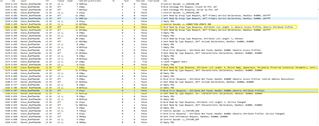
    please find the attached image and highlighted the  discovery events after connection which are consuming more time from central device.

    it looks like the default services 0x1800, 0x1801 is taking more time for discovery. what can be done to prevent this.

    Thanks,

    Srikanth R V

  • Hello again Srikanth R V,

    Srikanth said:
    what can be done to prevent this.

    From your included screenshot I see that you are still using the 1 Mbps PHY, and that you are using a ~50 ms connection interval. Please try this again with the configuration I mention in my previous reply - 2 Mbps, 7.5 ms connection interval.
    This will speed up the communication between the devices, so that the service discovery will take shorter time to complete.
    Additionally, if you are worried about the increased power consumption of this low connection interval, you can change the connection interval length after having finished the service discovery.
     

    Srikanth said:
    please find the attached image

    For future reference, it is best best if you uploaded the full trace file instead of screenshots, and instead detail in text what you would like to highlight. For example, "The behavior can be seen in the exchange starting on packet #, and again following the --- request at packet #". This allows us to see the full picture of the communication, as well as the things you would like to highlight for us.

    Please try again with the configurations I mentioned earlier, and see how this improves the time it takes you to complete the service discovery.

    Best regards,
    Karl

Related