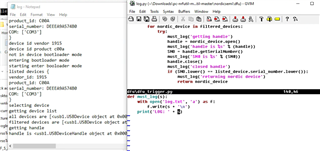
My CMD.EXE is copied here, it shows the command I'm trying to run, and the output of the program. As you can see, there is no error message.
C:\Users\user\Desktop>nrfutil -v -v -v -v dfu ble -f -ic NRF52 --port COM3 --name REDACTED --package REDACTED.zip --address fa78d43f5ec0
Flashing connectivity firmware...
2021-06-02 10:20:29,337 Sending SoftDevice image...

C:\Users\user\Desktop>echo %ErrorLevel%
-1073741819

C:\Users\user\Desktop>nrfutil -o log.txt -v -v -v -v dfu ble -f -ic NRF52 --port COM3 --name REDACTED --package REDACTED.zip --address fa78d43f5ec0
Flashing connectivity firmware...
2021-06-02 10:24:43,587 Sending SoftDevice image...

C:\Users\user\Desktop>type log.txt
2021-06-02 10:24:43,587 Sending SoftDevice image...
However, it does not succeed. I can know this for certain because the image on the device is not modified to the new package. I can verify this according to the behavior of the device. Thus the command fails. There is no error message to help me diagnose the error.
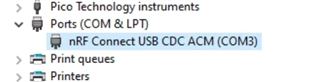
I am certain that the COM port is correct, please see the screenshot of Windows Device Manager below.
I have set the verbosity to the maximum verbosity (-v -v -v -v). I also tried using the log, which has less output than not using the log.
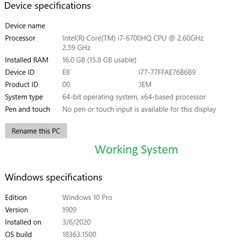
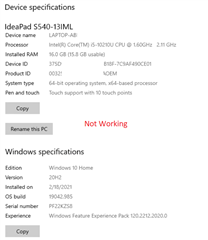
The same command works on another Windows 10 PC (after adjusting the COM port), so I am certain that the command is valid. Because the command works, I am also certain that the receiving device is working properly. I can determine that the command succeeded based on the behavior of the device. Thus, I am 100% confident that the command is valid and works on another machine.
1) Have I missed some debugging information that would help you or me diagnose the problem?
2) How can I make the command work on this other machine?
Thank you!