Hello,

Hello,

Hi Akash,
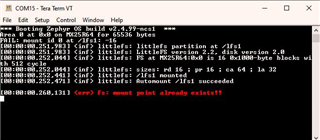
Try commenting out the automount flag in the .overlay file:
I've reported this as an issue internally, which needs to be addressed upstream.
Kind regards,
Håkon
Hi Håkon,
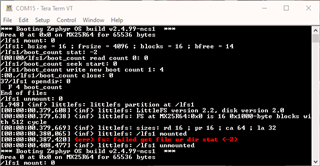
I commented out automount but now I am getting a different error on the first boot:

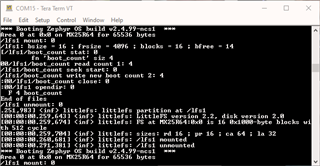
On subsequent boots (second and following boots), I do not get this error:

Regards,
Akash
Hi Akash,
This is what I got on the first boot:
*** Booting Zephyr OS build v2.4.99-ncs2 ***
Area 0 at 0x0 on MX25R64 for 65536 bytes
[00:00:00.374,969] <inf> littlefs: littlefs partition at /lfs1
[00:00:00.382,720] <inf> littlefs: LittleFS version 2.2, disk version 2.0
[00:00:00.382,751] <inf> littlefs: FS at MX25R64:0x0 is 16 0x1000-byte blocks with 512 cycle
[00:00:00.382,781] <inf> littlefs: sizes: rd 16 ; pr 16 ; ca 64 ; la 32
[00:00:00.383,026] <err> littlefs: WEST_TOPDIR/modules/fs/littlefs/lfs.c:997: Corrupted dir pair at {0x0, 0x1}
[00:00:00.383,026] <wrn> littlefs: can't mount (LFS -84); formatting
/lfs1 mount: 0
/lfs1: bsize = 16 ; frsize = 4096 ; blocks = 16 ; bfree = 14
/lfs1/boot_count stat: -2
/lfs1/boot_count read count 0: 0
/lfs1/boot_count seek start: 0
/lfs1/boot_count write new boot count 1: 4
/lfs1/boot_count close: 0
/lfs1 opendir: 0
F 4 boot_count
End of files
/lfs1 unmount: 0
[00:00:00.548,004] <inf> littlefs: /lfs1 mounted
[00:00:00.555,480] <err> fs: failed get file or dir stat (-2)
[00:00:00.576,721] <inf> littlefs: /lfs1 unmounted
It seems to store the value, but it has a problem unmounting. I'll report it internally.
Kind regards,
Håkon
It seems to me that the example should be modified to check if it is already mounted and if not, perform the mount.
Right now, with automount enabled, the example will work the first time and run into errors thereafter or with automount disabled, the example won't work until it has been run with automount enabled.