This post is older than 2 years and might not be relevant anymore
More Info: Consider searching for newer posts

Integrating nRF Sniffer Python module into a script

Hello
I want to make a python script that allows sniffing of 802.15.4 packets (nRF52840), The module exposes an API that allows starting and stopping the capture.
I installed the script by typing the following command
python -m easy_install then I integrated this module in a custom Python script and I used it with the nRF Sniffer hardware (nRF52840 DK and nRF52840 Dongle).
I also specified the parameters of the API function that starts the capture process, then I run the script and generate the pcap file well.
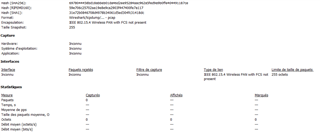
The problem is that the pcap file is empty, but when I launch the Wireshark capture software, it captures the network data.
I use the following library:
"from nrf802154_sniffer import Nrf802154Sniffer"
Could you help me please!

Best regards

Ayoub
Parents
  • Hi,

    Would you like to share your python script so I can test it on my side? It may be easier for me to debug having the code available.

    Are you using pynrfjprog to start the connection to the DK? If so the connection must be started before capturing pcaps. You should then create and channel set:

    from nrf802154_sniffer import nrf802154Sniffer
    
    self._sniffer_api = Nrf802154Sniffer()
    self._sniffer_api.channel = self.channel
    ...
    //and to start capture:
    self._sniffer_api.extcap_capture(self.pcap_result_file, self.com_port, self.channel, metadata)

    Best regards,

    Marjeris

  • Hello,

    First of all, I would like to thank you for your answer and for your help,
    I did the same thing as you finally I managed to capture and generate the pcap file, but the problem is I wanted to make a script that allows me to capture the data live and display them in the console.

    Best regards,

    Ayoub

Reply Children
No Data
Related