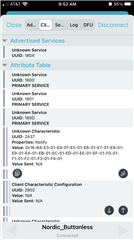
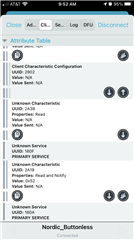
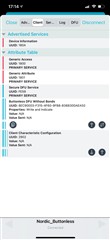
I seem to be having trouble running the buttonless DFU example on the nRF52833 DK (pca10100). It doesn't show up in nRF Connect as having dfu enabled.
I am using:
1) nRF5 SDK version 17.0.2.
2) s140 soft device
3) secure bootloader pca10100_s140_ble
4) ses dev environment
Example app is "examples\ble_peripheral\ble_app_buttonless_dfu\pca10056" that I have modified for the nRF52833 for the correct processor definitions and memory footprint via the project settings.
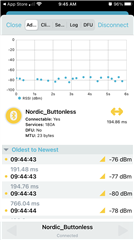
I have loaded thebootloader and softdevice with no difficulties and DFU via a button press is working. The buttonless app itself is running, it advertises itself and can attach to it using nRF Connect. What isn't working is in nRF Connect it says DFU is not enabled and if I try to perform a dfu from nRF Connect (or nRF Toolbox) it says this device doesn't support dfu. Further, what's weird is it shows it's advertising heart rate service, which I don't see in the application at all. No idea where nRF Connect is getting that.
Other than project settings, I have not altered the example source code at all, seems like it should just work. I'm assuming I have a setting wrong, but for the life of me I can't figure it out. I don't have a 10056 board to test the code as a sanity check.
I have these for project preprocessor flags:
APP_TIMER_V2
APP_TIMER_V2_RTC1_ENABLED
BL_SETTINGS_ACCESS_ONLY
BOARD_PCA10100
CONFIG_GPIO_AS_PINRESET
DEVELOP_IN_NRF52833
FLOAT_ABI_SOFT
INITIALIZE_USER_SECTIONS
NO_VTOR_CONFIG
NRF52833_XXAA
NRFX_COREDEP_DELAY_US_LOOP_CYCLES=3
NRF_DFU_SVCI_ENABLED
NRF_DFU_TRANSPORT_BLE=1
NRF_SD_BLE_API_VERSION=7
S140
SOFTDEVICE_PRESENT
the sdk_config.h file is copied from "examples\ble_peripheral\ble_app_buttonless_dfu\pca10056\s140\config"
Any help is appreciated.