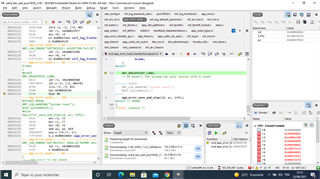
I'm using the "usbd ble uart " with twi scanner example to send a sensor value through an arduino 33 ble sense using nrf52832 and it works very well . but when I want to send the data to android application she stops immediately because the data will be sent very quickly . So I need to add a timer to this example to send the senor value every second . For this purpose, I copied the content of the "peripheral_timer" example into "usbd ble uart " example. I configure the "sdk_config.h" content accordingly using the timer "1" and the data still send quickly .
there is my code when I use the timer :
  /**
 * @brief Function for main application entry.
 */

    advertising_start();

    ret = app_usbd_power_events_enable();


    APP_ERROR_CHECK(ret);
   uint32_t time_ms = 1000; //Time(in miliseconds) between consecutive compare events.
    uint32_t time_ticks;
    err_code = NRF_SUCCESS;

    //Configure TIMER_LED for generating simple light effect - leds on board will invert his state one after the other.
    nrf_drv_timer_config_t timer_cfg = NRF_DRV_TIMER_DEFAULT_CONFIG;
    err_code = nrf_drv_timer_init(&TIMER_LED, &timer_cfg, timer_led_event_handler);
    APP_ERROR_CHECK(err_code);

    time_ticks = nrf_drv_timer_ms_to_ticks(&TIMER_LED, time_ms);

    nrf_drv_timer_extended_compare(
         &TIMER_LED, NRF_TIMER_CC_CHANNEL1, time_ticks, NRF_TIMER_SHORT_COMPARE1_CLEAR_MASK, true);

    nrf_drv_timer_enable(&TIMER_LED);

   // Enter main loop


   for (;;)
    {

       while(true)

       {
there is the function of handler timer :
/**
 * @brief Handler for timer events.
 */
void timer_led_event_handler(nrf_timer_event_t event_type, void* p_context)
{

    switch (event_type)
    {
        case NRF_TIMER_EVENT_COMPARE1:
            sendcom(result);
            break;

        default:
            //Do nothing.
            break;
    }
}
and there is the function of sending data through the arduino 33 ble sense port :
void sendcom(char  c[]){
         uint8_t length;
         length =strlen(c);

         ret_code_t ret = app_usbd_cdc_acm_write(&m_app_cdc_acm,
                                                c  ,
                                                length);


        if(ret == NRF_SUCCESS)
        {
           NRF_LOG_RAW_INFO(" %s \n \r ", c);
        }
}
and this is how to use this function in the while true :
 /*************************port activation ********************/
       app_usbd_event_queue_process();
     /*******************************************************************/


     itoa(spo2,result,10);
     strcat (result, "\n \r");
     sendcom(  result );
Please I need your help