

Sometimes the Power Profiler App does not display the average current and charge values for the Window (see screen capture, below). The values are displayed while the capture in in progress, but they disappear when sampling is complete. I can reproduce this reliably if I capture 100k samples per second for 60 seconds and display 1 minute of data in the window. (If you display a shorter time period in the window, the average current and charge values are displayed.)
You can see the app and PPK2 firmware versions at the top of the screen capture.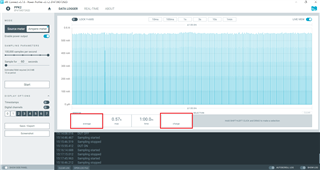
My OS is Windows 10 Pro version 20H2 (64 bit).

