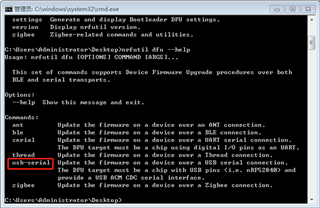
Hi, dear Nordic & all:
I just try to upgrade applicatiion via usb secure dfu on nrf52840DK, but failed to do this, the fellow is my environment, reference and steps:
Environment:
1、nRF5_SDK_17.0.2_d674dde
2、nrf52840DK
3、nrfutil verison 6.1.0
4、app example: ble_peripheral\ble_app_hids_keyboard
5、usb bootloader example: dfu\secure_bootloader\pca10056_usb
Reference:
Nordic Semiconductor Infocenter
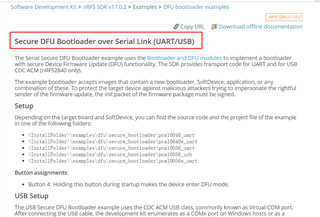
Steps:
1、Generate dfu_public_key.c and priv.pem with the fellowing cmd:
nrfutil keys generate priv.pem
nrfutil keys display --key pk --format code priv.pem --out_file dfu_public_key.c
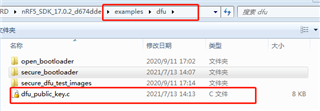
2、Copy the dfu_public_key.c file to the project folder, replacing the existing file
3、Compile the application and bootloader example and rename them as app.hex and bootloader hex
4、Generate setings.hex, and merge softdevice.hex, app.hex, bootloader.hex and setings.hex with felllowing cmd:
nrfutil settings generate --family NRF52840 --application app.hex --application-version 1 --bootloader-version 1 --bl-settings-version 2 settings.hex
mergehex --merge bootloader.hex settings.hex --output bl_temp.hex
mergehex --merge bl_temp.hex app.hex s140_nrf52_7.2.0_softdevice.hex --output whole.hex
5、Program the whole.hex to nrf52840DK and can scan the device named "Nordic_Keyboard"
6、I changed the device name as "Nordic_ZYTD", and generate the zip for upgrade with fellowing cmd:
nrfutil pkg generate --application app_new.hex --application-version 2 --hw-version 52 --sd-req 0x0100 --key-file priv.pem ZYTD_NEW.zip
The above steps look like work right.
7、Then I do my operation according to: Nordic Semiconductor Infocenter
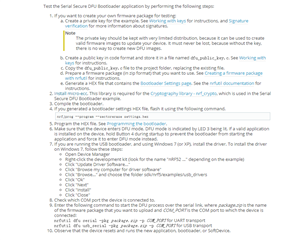
frist, I connect DK to PC (Win 7) with USB, and hold on button 4 when starup the 52840DK and light led3, that means I entered DFU mode, then I can find a COM port in my PC’s Device Manager
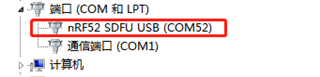
next, I execute the fellowing cmd for upgrading:
nrfutil dfu usb-serial -pkg ZYTD_NEW.zip -p COM52
but, It failed to upgrade, and the prompt this:
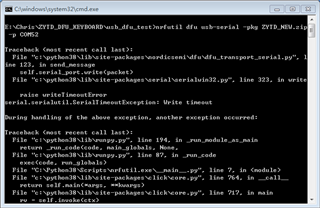
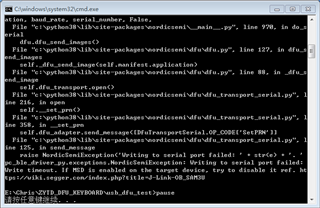
So, which step is wrong for my operation?and why I failed?
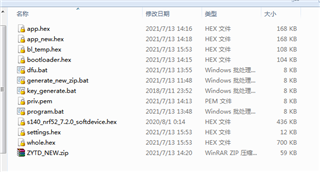
All files I used in this process is like this, I'm sorry I cannot upload here because it is encrypted,
Thanks for your kind reply!