This post is older than 2 years and might not be relevant anymore
More Info: Consider searching for newer posts

sending a char using ble_nus_data_send

Hi ,
I want to send a char data through bleutouth using ble nus 
I am using this method 

void sendble(char data)
{
uint8_t x = atoi(data);
uint16_t length1 ;
length1=strlen(data);
 ret_code_t ret1 = ble_nus_data_send(&m_nus,
                x,
                &length1,
                m_conn_handle);
  if (ret1 == NRF_SUCCESS) {
    NRF_LOG_RAW_INFO(" send ble success  %s",x);
  }
}

I don't have any error but I don't receive any information on my android application (NRF Toolbox).

Is there somthing wrong or I must use another command to send char value  using ble_nus send?

Parents Reply
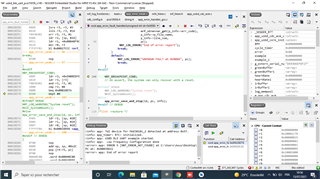
  • The complete error message is not visible. Please do not share error logs as screenshots for this reason.

    The error code was NRF_ERROR_NOT_FOUND. If you look at the end of the error report it will tell you which line it was triggered. Find out which function returned this error code, and check the API reference of the function to see why it would return NRF_ERROR_NOT_FOUND, to find out how you can fix it.

    Best regards,
    Karl

Children
  • the error was on the ble_nus_data_send function 
    How can I check the API reference of the function ?

  • this is what the ble_nus_data_send return 

     ret = ble_nus_data_send(&m_nus,
                    (uint8_t *)m_cdc_data_array,
                    &length,
                    m_conn_handle);
    
                if (ret == NRF_ERROR_NOT_FOUND) {
                  NRF_LOG_INFO("BLE NUS unavailable, data received: %s", m_cdc_data_array);
                  break;
                }
    
                if (ret == NRF_ERROR_RESOURCES) {
                  NRF_LOG_ERROR("BLE NUS Too many notifications queued.");
                  break;
                }
    
                if ((ret != NRF_ERROR_INVALID_STATE) && (ret != NRF_ERROR_BUSY)) {
                  APP_ERROR_CHECK(ret);
                }
              } while (ret == NRF_ERROR_BUSY);
            }
    
            index = 0;
          }
    

  • nikola said:
    How can I check the API reference of the function ?

    You can find the API reference of all SDK functions on the Infocenter. In this particular case, you can find the ble_nus_data_send function's API reference here.
    If the API reference does not specify the specific error code you are seeing, you must go into the function's source code to see what other error codes it might return, or what other functions it calls within that might return this error code.
    You can set breakpoints in the source code of the function too, to pinpoint exactly where the error is generated.

    Best regards,
    Karl

  • nikola said:
    this is what the ble_nus_data_send return 

    This is only the handling for some of the code that it might return. You are not guaranteed that this covers all codes that it might return.
    To see the full picture, you should look into the source code of the ble_nus_data_send function, to see all the error codes it might return.

    Best regards,
    Karl

  • this is what the function return :

    uint32_t ble_nus_data_send(ble_nus_t * p_nus,
                               uint8_t   * p_data,
                               uint16_t  * p_length,
                               uint16_t    conn_handle)
    {
        ret_code_t                 err_code;
        ble_gatts_hvx_params_t     hvx_params;
        ble_nus_client_context_t * p_client;
    
        VERIFY_PARAM_NOT_NULL(p_nus);
    
        err_code = blcm_link_ctx_get(p_nus->p_link_ctx_storage, conn_handle, (void *) &p_client);
        VERIFY_SUCCESS(err_code);
    
        if ((conn_handle == BLE_CONN_HANDLE_INVALID) || (p_client == NULL))
        {
            return NRF_ERROR_NOT_FOUND;
        }
    
        if (!p_client->is_notification_enabled)
        {
            return NRF_ERROR_INVALID_STATE;
        }
    
        if (*p_length > BLE_NUS_MAX_DATA_LEN)
        {
            return NRF_ERROR_INVALID_PARAM;
        }
    
        memset(&hvx_params, 0, sizeof(hvx_params));
    
        hvx_params.handle = p_nus->tx_handles.value_handle;
        hvx_params.p_data = p_data;
        hvx_params.p_len  = p_length;
        hvx_params.type   = BLE_GATT_HVX_NOTIFICATION;
    
        return sd_ble_gatts_hvx(conn_handle, &hvx_params);
    }
    

Related