This post is older than 2 years and might not be relevant anymore
More Info: Consider searching for newer posts

Firmware update for Thingy 91

I cant seem to get the Thingy 91 into boot MCU mode, so that I can update it to the latest firmware.
No matter how many times I try turning the unit off and powering up with the larger press button held down, the firmware programming returns an error complaining that the unit is not in BootMCU mode.

Is there anything else I could try?

Parents
  • Hello Andrew,

    thanks for your feedback!

    Andrew8691 said:
    I did mange to program the firmware I think, but I can find any way of getting status back from the Thingy91. I can see that it is present when connected to my laptop, but the nRF Connect tools seem to fail to return any status from it - and the blue light has stopped pulsing.

     What application firmware image is currently present on the nRF9160?

    Andrew8691 said:
    I have also been unable to add the device to the nrf Cloud Connect - it says that the device has not been provisioned yet (though I have registered the SIM and provided the Device ID and PIN numbers.

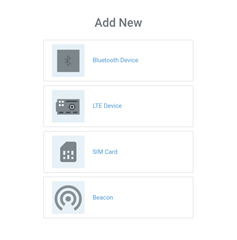
     Yes, here you manually have to add your Thingy:91 as an LTE device to the cloud (see picture below) when the Asset Tracker reaches point 7 described in this chapter.

    I can support you with that, of course!

    But before you can do that, you have to update the nRF Connect for Cloud certificate to your device, which I recommend you to do while the AT Client application firmware is flashed.

    Regards,

    Markus

  • Thanks Markus,

    I would appreciate your help. I will will install the AT client and try to update the certificate.

    Regards,

    Andrew.

Reply Children
No Data
Related