This post is older than 2 years and might not be relevant anymore
More Info: Consider searching for newer posts

nrf connect programmer save as file doesn't work

I have created a program code on the Adafruit nRF52840 express in the Arduino IDE. I want to read this program code (including bootloader) via my j-link edu mini and save it as a hex file, so I can transfer this code to another module.

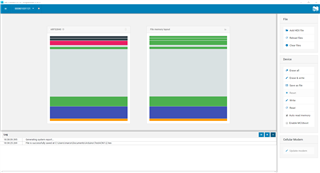
If I save the code via "save as file" and load the same code via "add hex file" and compare them, the colors do not match and the code does not work anymore ((see picture).

How do I get this to work?
  • Hi,

    It looks from the pictures like the contents on the SoC includes both SoftDevice, application and bootloader. When a bootloader is involved, for correct execution there also needs to be information in the UICR register for where the bootloader is located. I suspect that UICR contents is not part of the hex file  generated from the nRF Connect programmer app, and that parsing of the hex contents (for colouring) also depends on this UICR information.

    I suggest that you instead generate the hex file using nrfjprog, which is part of nRF Command Line Tools, using the following command from a command line terminal (such as cmd.exe):

    nrfjprog --readuicr --readcode flahsdump.hex

    The above command example will store the contents of flash (including UICR registers) to a file named flashdump.hex.

    Regards,
    Terje

Related