

HI Devzone
i am using <NCS_SOURCE_FOLDER>\nrf\samples\nfc\tag_reader\ to do the test. on NCS1.5.1
i am trying to add a customize compatible properties in device tree.
&spi0 {
	compatible = "nordic,nrf-spi";
	status = "okay";
	sck-pin = <23>;
	mosi-pin = <21>;
	miso-pin = <22>;
	cs-gpios = <&gpio0 20 GPIO_ACTIVE_LOW>;

	st25r3911b@0 {
		label = "ST25R3911B";
		#compatible = "st,st25r3911b";
		compatible = "david,david_test;
		reg = <0>;
		spi-max-frequency = <4000000>;
		irq-gpios = <&gpio0 3 0>;
		led-nfca-gpios = <&gpio0 29 0>;
	};
};

&spi1 {
	status = "disabled";
};

&spi2 {
	status = "disabled";
};

&spi3 {
	status = "disabled";
};
and i am following the guide https://developer.nordicsemi.com/nRF_Connect_SDK/doc/1.6.0/zephyr/guides/dts/bindings.html to add the binding file
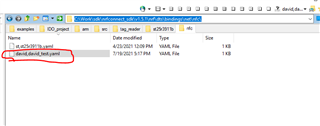
path: <NCS_SOURCE_FOLDER>\nrf\dts\bindings\net\nfc\
my binding file is directly copyed from st,st25r3911b.yaml.
the detail could be show as below
# Copyright (c) 2020 Nordic Semiconductor ASA
# SPDX-License-Identifier: LicenseRef-Nordic-5-Clause

description: |
    STMicroelectronics ST25R3911B NFC Initiator / HF Reader

compatible: "david,david_test"

include: spi-device.yaml

properties:
    irq-gpios:
      type: phandle-array
      required: true

    led-nfca-gpios:
      type: phandle-array
      required: false

    led-nfcb-gpios:
      type: phandle-array
      required: false

    led-nfcf-gpios:
      type: phandle-array
      required: false
Then after compiler, it always report below error:
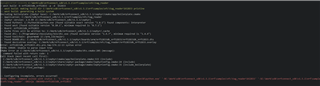
Qustion: May i know how to add customize compatible properties ?
BR
