Hello
I made an application on the nRF52 sdk, which works correctly.
Now I want to add the ability to update the firmware via OTA bluetooth.
I followed the instructions indicated at linkt https://developer.nordicsemi.com/nRF_Connect_SDK/doc/1.6.0/nrf/ug_nrf52.html#fota-upgrades
so my prj.conf file contains if following instructions;
CONFIG_BT = y
CONFIG_BT_BROADCASTER = y
CONFIG_BT_OBSERVER = y
CONFIG_BT_DEBUG_LOG = y
CONFIG_I2C = y
CONFIG_FPU = y
CONFIG_NEWLIB_LIBC = y
CONFIG_NEWLIB_LIBC_NANO = n
CONFIG_PWM = y
# Enable mcumgr.
CONFIG_MCUMGR = y
# Ensure an MCUboot-compatible binary is generated.
CONFIG_BOOTLOADER_MCUBOOT = y
# Enable flash operations. CONFIG_FLASH = y
# Enable most core commands.
CONFIG_MCUMGR_CMD_IMG_MGMT = y
CONFIG_MCUMGR_CMD_OS_MGMT = y CONFIG_MCUMGR_CMD_STAT_MGMT = y
CONFIG_MCUMGR_SMP_BT = y
And the main is the following:
#ifdef CONFIG_MCUMGR_CMD_OS_MGMT
#include "os_mgmt / os_mgmt.h"
#endif
#ifdef CONFIG_MCUMGR_CMD_IMG_MGMT
#include "img_mgmt / img_mgmt.h"
#endif
#ifdef CONFIG_MCUMGR_SMP_BT
#include "mgmt \ mcumgr \ smp_bt.h"
#endif
K_THREAD_DEFINE (rtc_task_id, STACKSIZE, Rtc_Task, NULL, NULL, NULL, PRIORITY, 0, 0);
K_THREAD_DEFINE (I2CManager_id, STACKSIZE, I2CManager, NULL, NULL, NULL, PRIORITY, 0, 0);
K_THREAD_DEFINE (bletxrx_id, STACKSIZE, BleTxRx, NULL, NULL, NULL, PRIORITY, 0, 0);
K_THREAD_DEFINE (Clock_id, STACKSIZE, ClockManager, NULL, NULL, NULL, PRIORITY, 0, 0);
void main () {
os_mgmt_register_group ();
img_mgmt_register_group ();
smp_bt_register ();
while (1) k_sleep (K_MSEC (10000));
}
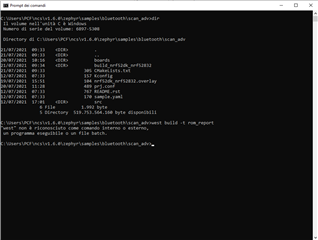
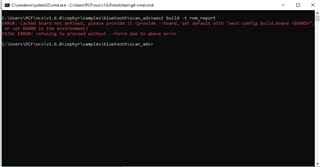
When I build the solution, I get the following error:
region `FLASH' overflowed by 46088 bytes
see image below

What steps should I take to solve the problem?
Thanks in advance
Fausto
volume_up
content_copy
share