This post is older than 2 years and might not be relevant anymore
More Info: Consider searching for newer posts

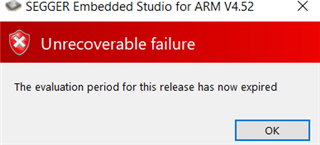
The evaluation period for this release has now expired

Hello,

I have a custom example based on the "asset_tracker" application of the SDK v1.3.1 and I am trying to open the IDE through Toolchain Manager, but when I select "OPEN IDE" from the "nRF Connect SDK v1.3.1" option I get a message when SEGGER opens stating "The evaluation period for this release has now expired".
It is not possible for me to update the license because removing this message automatically closes SEGGER.

I am not interested in working on a newer version SDK for this particular case.
What can I do?
Thank you.

Parents
  • Hi Markus,

    Thank you for your answer, this has helped me to solve the problem.

    I installed NCS v1.6.0 but I was getting an error when trying to run SES v1.3.0 from Toolchain manager. So I did the following:

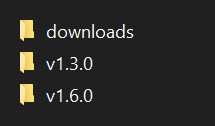
    I copied my old v1.3.0 folder into the new "ncs" .


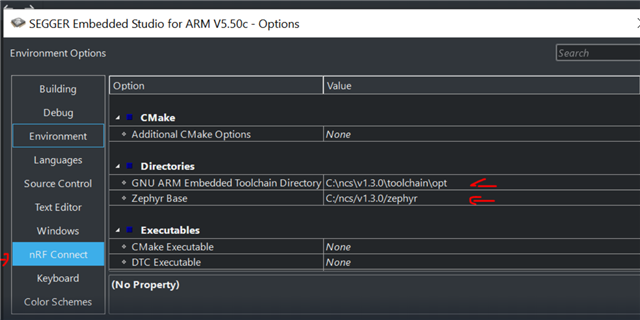
    I opened SEGGER and configured the following paths from "TOOLS → OPTIONS → nRF Connect ".


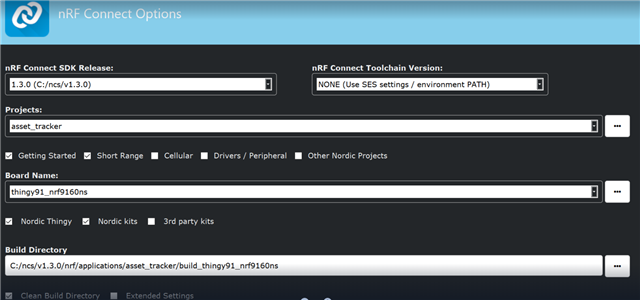
    I opened the project based on v1.3.0 from FILE → open nRF Connect SDK project:

    And now everything seems to work again!

    Thank you.

Reply
  • Hi Markus,

    Thank you for your answer, this has helped me to solve the problem.

    I installed NCS v1.6.0 but I was getting an error when trying to run SES v1.3.0 from Toolchain manager. So I did the following:

    I copied my old v1.3.0 folder into the new "ncs" .


    I opened SEGGER and configured the following paths from "TOOLS → OPTIONS → nRF Connect ".


    I opened the project based on v1.3.0 from FILE → open nRF Connect SDK project:

    And now everything seems to work again!

    Thank you.

Children
No Data
Related