This post is older than 2 years and might not be relevant anymore
More Info: Consider searching for newer posts

External supply power consumption is different from current consumption measurement using PPK2

I am using NRF9160 (PCA10090, 1.0.0, 2021.7) for my experiment using the .hex file of UDP example provided here (https://devzone.nordicsemi.com/nordic/cellular-iot-guides/b/hardware-design/posts/measuring-psm-idle-current-on-the-nrf91-dk) at 3.6 V. 

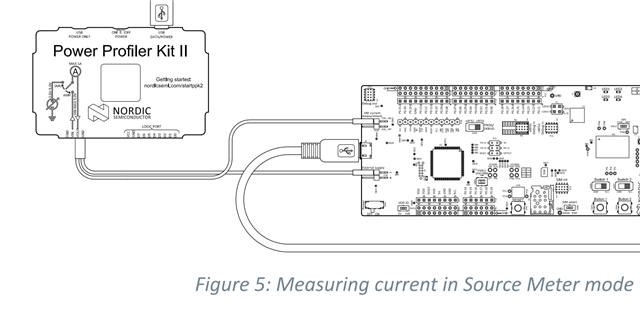
There are two modes to measure the current consumption, namely Source and Ampere.

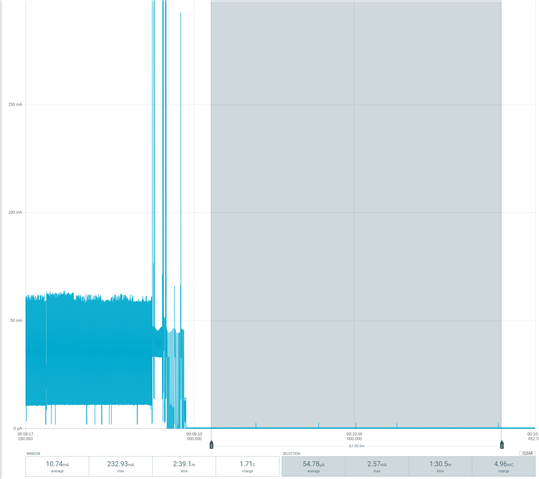
I tried both of them and found different results as with the Ampere meter setting I can see the device in PSM mode consume 8.91 uA but in Source mode, the device is not moving to the PSM state. What are the reasons?
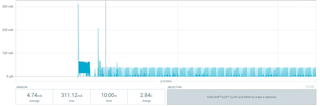
Plus next, I tried to check the power consumption from the external supply pins P21, so that to know how much time a battery can last running a similar  NB-IoT application. But it seems that it consumes around 8.96 mA in PSM state which is too much. 
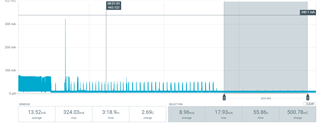
Therefore, my question is how to reduce this power consumption to a few uW.

FYI: if we add "while(1) k_cpu_idle();" at the very beginning of main(), the current consumption is 9.07 mA. 

Parents Reply
  • Hi,


    Ashishsult said:
    But with the current status of the application and hardware, I can't because the power consumption came out to be 8.96 mA in RRC idle state.

    As shown in the DK schematics and layout, P21 will power the whole board.

    This is a development kit restriction, and will not apply when you create your custom board.


    As I mentioned, if you power it as I showed, the leakage will be lower (but it will still leak through switches etc.)

    Here is the description on how to measure the nRF9160 isolated:

    https://infocenter.nordicsemi.com/topic/ug_nrf91_dk/UG/nrf91_DK/hw_measure_current.html?cp=2_0_5_5


    It also states:

    The use of a USB connector is not recommended for powering the Development Kit (DK) 
    during current measurements due to potential noise from the USB power supply. 
    Instead, the DK should be powered by connecting a power supply to connector P21.


    Kind regards,

    Håkon

Children
Related