This post is older than 2 years and might not be relevant anymore
More Info: Consider searching for newer posts

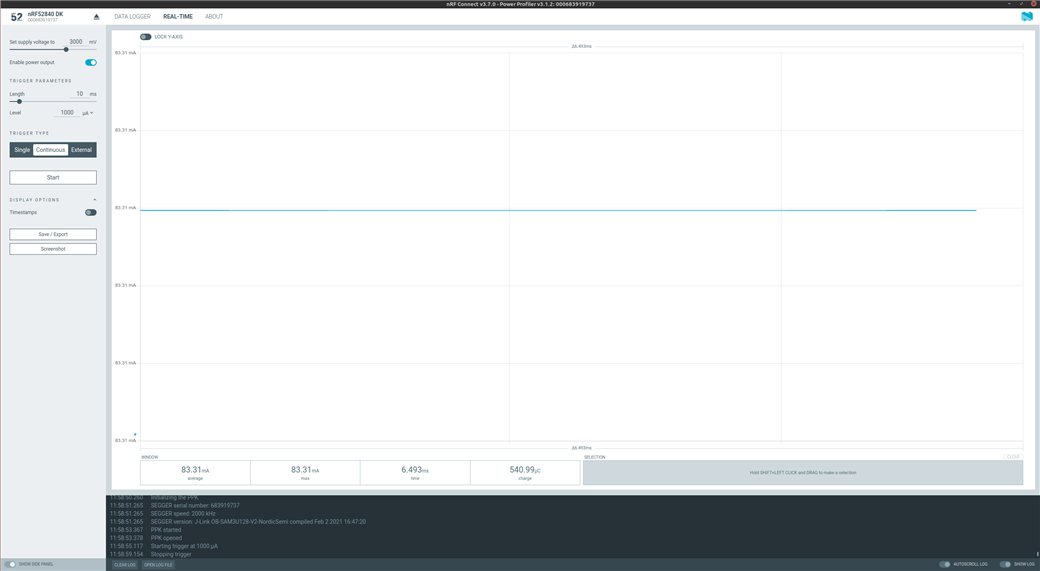
Power Profiler only flatlines at 83.31 mA using nrf52840dk

Hi,

I have an issue with the first version PPK coupled with an nrf52840dk. I used to measure the current on the board through the nRF Connect desktop app on Linux and it always worked fine. Now, with the 3.7.0 new release and the new GUI, the app only shows a flatline at 83.31 mA instead of a dynamic value when measuring the power consumption in real time. I checked that all the switches were set correctly as before, but there is not anything that I change that modify this behavior. Is there something that I am missing? I am currently using Linux Mint 20.2, kernel version 5.4.0-81 and nrf Connect 3.7.0 with Power Profiler v3.1.2.

Thank you for the help.
Parents Reply
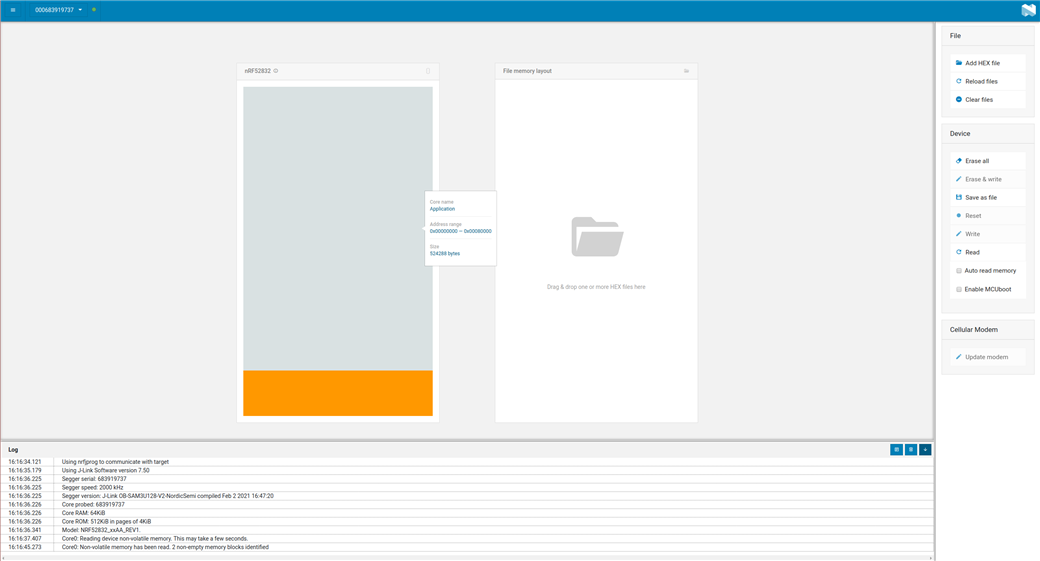
  • Thanks again for the support. Could you please tell me the procedure to re-program the PPK? Do I just have to put the PPK on top of the nrf52840dk, connect the usb to the nrf52840dk (not to the PPK), enter the nrf Connect's Programmer, load the hex and go to "Erase and Write"?

    Here is the preview that the Programmer app shows to me when I do that procedure (without erasing and writing anything, but just reading):

    Sorry to bother.

    Gabriele

Children
  • Hi Gabriele,


    grestuccia said:
    Sorry to bother.

    It is no bother at all! I'm glad that you use the forums instead of spending hours trying to get something working without reaching out for help.


    grestuccia said:

    Thanks again for the support. Could you please tell me the procedure to re-program the PPK? Do I just have to put the PPK on top of the nrf52840dk, connect the usb to the nrf52840dk (not to the PPK), enter the nrf Connect's Programmer, load the hex and go to "Erase and Write"?

    Here is the preview that the Programmer app shows to me when I do that procedure (without erasing and writing anything, but just reading):

    My apologies for not describing better. There is a communication switch, which routes the programming interface from the development kit to the PPK, named "SW3". You can see it in this block diagram:

    https://infocenter.nordicsemi.com/topic/ug_ppk/UG/ppk/ppk_block_diagram.html?cp=10_9_4_0_0


    If you look at this section, you can see this SW3 switch (use a pen or similar to change it if required):

    https://infocenter.nordicsemi.com/index.jsp?topic=%2Fug_ppk%2FUG%2Fppk%2Fppk_power_supply.html


    Each time you program the device-under-test (DUT), this switch should be in the "external" position to avoid accidentally flashing the nRF on the PPK itself.


    Could you try flashing the "ppk_110.hex" from the nRF6707-SW .zip file when the position is in "DK" position, then power cycle the whole DK+PPK, then see if you can sample anything other than a flat line with the software?


    Here's another thread with a similar issue, where a colleague of mine has explained how to reprogram the PPK v1:

    https://devzone.nordicsemi.com/f/nordic-q-a/43484/ppk-does-not-work/170395#170395


    Kind regards,

    Håkon

Related