Hello
I have a few issues which i can't handle.
Platform:
Visual Studio Code on Windows 10
Board:
nrf52840 dk
In my project i need to create workspace which few different applications based on one custom board.
This workspace must be sharable betwen developers so we need to share custom board too.
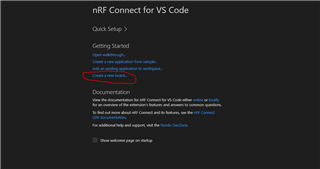
I want to do it outside nrf folder, but i dont know how to select custom board ( this is my first issue).
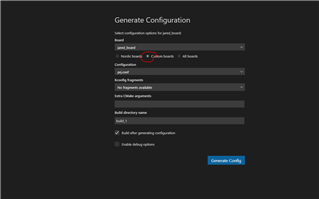
Second issue is inside Generate Configuration window: after installation Visual Studio Code, there is no "Custom boards" checkbox.
Third issue is to run debug process, every time when i thried to run debug i saw monit about unsetting gdb, this may be a problem witch cotrex debug launh.json file. Could you send me sample of this worked file?
Thanks
AG