nRF5340 simultaneously debugging on application and network cores

Hi-

I am trying to debug the network and application cores simultaneously using the beacon sample application configured for RPC HOST on the nrf5340DK board.  My configuration is as follows:

- Windows 10

- VSCode with nrf Connect and Cortex-Debug Extensions installed

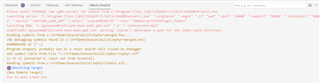
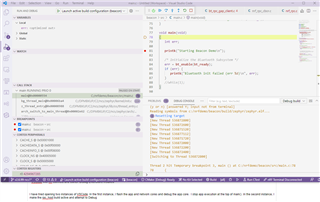
I have tried opening two instances of VSCode. In the first instance, I flash the app and network cores and debug the app core.  I stop app execution at the top of main().  Here's an image of the first app debug session....
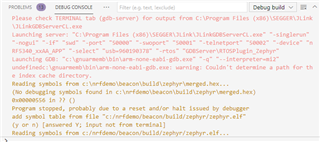
In the second instance, I make the rpc_host build active and attempt to Debug but get some sort of trap error and the debug session aborts....
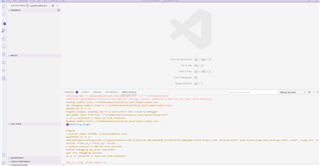
What do I have to do in order to debug both cores at the same time using the beacon-rpc_host sample?

Thanks!

Kurt

Parents Reply
  • Hi,

    Did you specify that the nRF RPC Host sample should be the child image of the Beacon sample when creating the build configuration in VS Code? If not, the HCI RPMsg sample will become the child image of the sample. In multi-image builds, VS Code automatically programs the child images as well as the main image, so this would cause the HCI RPMsg sample to be programmed on the network core when you select that you want to debug the Beacon sample.

    You can specify that the nRF RPC Host should be the child image by adding this as an Extra Cmake argument when creating the build configuration:

    -DCONFIG_BT_RPC=y

    Using this, I was able to debug both cores and test the application by first starting the debug session on the application core, then the debug session on the network core.

    Best regards,

    Marte

Children
Related