

Hi DevZone,
What I am working with:
I am working on a project using nRF Connect SDK with VS Code, and I am also using the nRF Connect extension for it.
My issue:
I am trying to make my VS Code project register my local folder for custom boards so I can use the board when creating a build configuration with the "Add Build Configuration" option in VS Code.
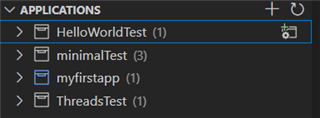
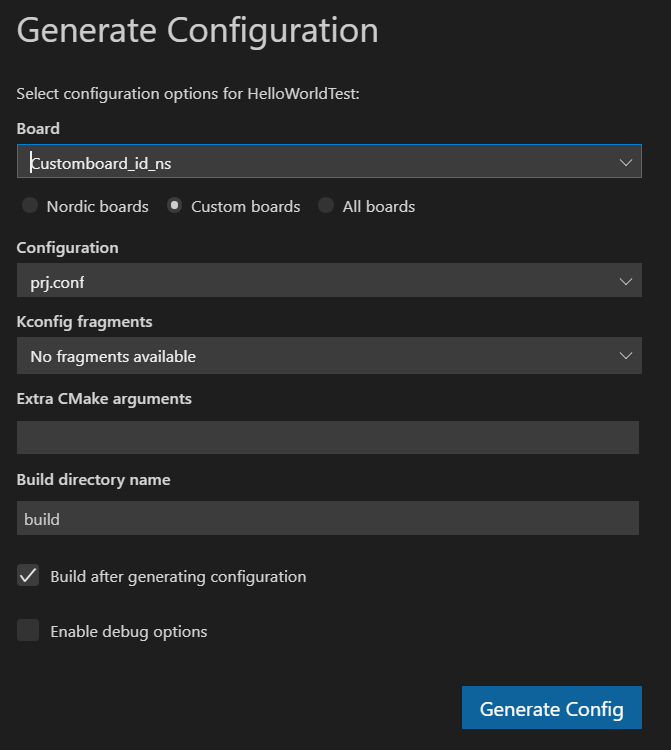
I can do this with an absolute path as shown below in line 29, and as you can see in the images above, I can select "Custom Boards":
{
	"folders": [
		{
			"path": "myfirstapp"
		},
		{
			"name": "minimalTest",
			"path": "minimalTest"
		},
		{
			"name": "ThreadsTest",
			"path": "ThreadsTest"
		},
		{
			"name": "HelloWorldTest",
			"path": "HelloWorldTest"
		},
	],
	"settings": {
		"nrf-connect.topdir": "c:\\nRFConnectSDK\\v1.7.0",
		"nrf-connect.toolchain.path": "c:\\nRFConnectSDK\\v1.7.0\\toolchain",
		"nrf-connect.applications": [
			"d:\\GIT\\GettingStartedNCS\\myfirstapp",
			"d:\\GIT\\GettingStartedNCS\\minimalTest",
			"d:\\GIT\\GettingStartedNCS\\ThreadsTest",
			"d:\\GIT\\GettingStartedNCS\\HelloWorldTest"
		],
		"nrf-connect.boardRoots": [
			"d:\\GIT\\GettingStartedNCS\\myfirstapp"
		],
	}
}
However, I want the path in "nrf-connect.boardRoots" to be either relative to the Workspace Folder, or use an environment variable to make the contents of the .code-workspace
not be dependent on absolute paths of my PC file structure. I can do this with the "nrf-connect.applications" setting as seen below in line 9 with "${workspaceFolder}".
I have added line 17 to show the difference between it and line 16:
{
	"folders": [
		{
			"path": ".."
		},
	],
	"settings": {
		"nrf-connect.applications": [
			"${workspaceFolder}"
		],

		"nrf-connect.topdir": "c:\\nRFConnectSDK\\v1.7.0",
		"nrf-connect.toolchain.path": "c:\\nRFConnectSDK\\v1.7.0\\toolchain",

		"nrf-connect.boardRoots": [
			"d:\\GIT\\GettingStartedNCS\\myfirstapp"
			//"${workspaceFolder}"
		],
}
Could you tell me if it is possible to make the "nrf-connect.boardRoots" directory either:
- Relative to the workspace folder
- Dependent on an environment macro
- Or something else which allows me to avoid an absolute path for this setting?
Thank you for your help in advance,
Br. Casper

