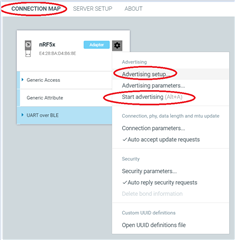
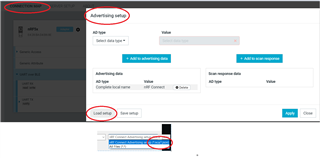
Windows Desktop nRF Connect can not load advertising setup?

Hi Tech support:

   I am using the latest Desktop nRF Connect(Windows version) tool. And I want to use it to connect to my nRF52 DK board and setup up an advertising setup node.

But I find I can not load a saved server setup file, from the supported drop-down list files, I can only load the file with the postfix of "*.nca" and ".json". but normally the server setup file post fix is 

"*.ncs", not "*.nca", is there anything wrong here?
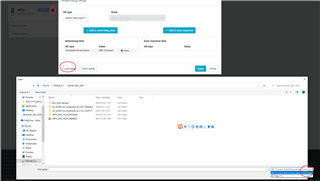
Parents
  • Hi Amanda, 

          you could use 'server setup' tab to load the setup file *.ncs, I can too...  but you must use 'connection map'  tab to start advertising, there is also one 'advertising setup' item in conneciton map, but inside it, it can NOT load the *.ncs file. If we really want to make it start advertsing , we have to load the setup file in the 'connection map'!!!

Reply
  • Hi Amanda, 

          you could use 'server setup' tab to load the setup file *.ncs, I can too...  but you must use 'connection map'  tab to start advertising, there is also one 'advertising setup' item in conneciton map, but inside it, it can NOT load the *.ncs file. If we really want to make it start advertsing , we have to load the setup file in the 'connection map'!!!

Children
Related