Serial LTE Modem: Following Documentation Examples for GNSS commands and nothing works

Thanks in advance for the help.

I connected my 9160DK (V1.0.1), downloaded the SDK programmed img_app_bl\serial_lte_modem_2021-10-20_d29f1dde.hex and tried to follow the examples here https://developer.nordicsemi.com/nRF_Connect_SDK/doc/latest/nrf/applications/serial_lte_modem/doc/AT_commands_intro.html

<board reset>

+CFUN: 0

OK

AT#XSLMVER

#XSLMVER: "1.7.0"

OK


AT%XSYSTEMMODE=0,0,1,0
OK
AT%XCOEX0=1,1,1565,1586
OK
AT+CFUN=31
OK
at#xgps=1,1
OK
<nothing happens>

If I try and follow the AT#XNRFCLOUD examples I get various results depending on which of the many permutations of examples I follow. If I follow the example provided nothing happens.

I compiled the source to the LTE Modem Example from the SDK. I get substantially the same results.

This seems like a basic thing but I can't for the life of me figure out what is wrong.

Parents
  • Hi,

    Could you check the log from the application (by default, it is sent over RTT)?

    My guess is that everything works as it should, but the GPS isn't able to produce a fix (e.g. because you are inside, and the GPS signals aren't able to penetrate the building).

    The AT command won't provide any more output unless it gets a fix, but the log should show that the device is searching.

    Best regards,

    Didrik

  • Thank you for your reply

    1) It is normal for a GNSS device to report an invalid fix (i.e. Lat: ?, Long: ? or some such) if it is searching but not yet with a fix or when a fix is lost. If that is not the case with the firmware I suggest it be added otherwise it will be impossible to know the fix has been lost.

    I appears that if I wait indefinitely eventually I get a GPS fix. I would strongly encourage the documentation to refect the fact that no data is provided if there is no fix and that it may take >> 5 minutes to be provided. Please understand that when evaluating something we are dealing with a black box and only have the documentation to go by.

    2) Although I didn't include it in my original ticket to keep things simple, following the #XAGPS example give an error failed.

    2021-11-26T15:53:31.491Z DEBUG modem >> AT+CPSMS=1
    2021-11-26T15:53:31.505Z DEBUG modem << OK
    2021-11-26T15:53:46.167Z DEBUG modem >> AT+CFUN=1
    2021-11-26T15:53:46.213Z DEBUG modem << OK
    2021-11-26T15:53:51.182Z DEBUG modem >> AT#XNRFCLOUD=1
    2021-11-26T15:53:51.189Z DEBUG modem << OK
    2021-11-26T15:54:47.810Z DEBUG modem << #XNRFCLOUD: 1,0
    2021-11-26T15:56:00.536Z DEBUG modem >> AT#XAGPS=1,1
    2021-11-26T15:56:00.552Z DEBUG modem << ERROR
    2021-11-26T15:56:00.553Z ERROR Error: AT#XAGPS=1,1
    failed

    3) Similarly the #XPGPS example fails

    2021-11-26T16:11:07.689Z DEBUG modem >> AT+CPSMS=1
    2021-11-26T16:11:07.702Z DEBUG modem << OK
    2021-11-26T16:11:14.998Z DEBUG modem >> AT+CFUN=1
    2021-11-26T16:11:15.043Z DEBUG modem << OK
    2021-11-26T16:11:22.887Z DEBUG modem >> AT#XNRFCLOUD=1
    2021-11-26T16:11:22.894Z DEBUG modem << OK
    2021-11-26T16:11:49.302Z DEBUG modem << #XNRFCLOUD: 1,0
    2021-11-26T16:12:29.288Z DEBUG modem >> AT#XPGPS=1,30
    2021-11-26T16:12:29.304Z DEBUG modem << ERROR
    2021-11-26T16:12:29.305Z ERROR Error: AT#XPGPS=1,30
    failed

    note I left out the AT%XCOEX0 and AT%SYSTEMMODE for brevity because they are persistent/saved.
    2021-11-26T16:10:44.157Z DEBUG modem >> AT%XCOEX0?
    2021-11-26T16:10:44.172Z DEBUG modem << %XCOEX0: 1,1,1565,1586
    2021-11-26T16:10:44.176Z DEBUG modem << OK
    2021-11-26T16:10:54.174Z DEBUG modem >> AT%XSYSTEMMODE?
    2021-11-26T16:10:54.188Z DEBUG modem << %XSYSTEMMODE: 1,0,1,0
    2021-11-26T16:10:54.190Z DEBUG modem << OK

    I get the same results if I send the commands.

Reply
  • Thank you for your reply

    1) It is normal for a GNSS device to report an invalid fix (i.e. Lat: ?, Long: ? or some such) if it is searching but not yet with a fix or when a fix is lost. If that is not the case with the firmware I suggest it be added otherwise it will be impossible to know the fix has been lost.

    I appears that if I wait indefinitely eventually I get a GPS fix. I would strongly encourage the documentation to refect the fact that no data is provided if there is no fix and that it may take >> 5 minutes to be provided. Please understand that when evaluating something we are dealing with a black box and only have the documentation to go by.

    2) Although I didn't include it in my original ticket to keep things simple, following the #XAGPS example give an error failed.

    2021-11-26T15:53:31.491Z DEBUG modem >> AT+CPSMS=1
    2021-11-26T15:53:31.505Z DEBUG modem << OK
    2021-11-26T15:53:46.167Z DEBUG modem >> AT+CFUN=1
    2021-11-26T15:53:46.213Z DEBUG modem << OK
    2021-11-26T15:53:51.182Z DEBUG modem >> AT#XNRFCLOUD=1
    2021-11-26T15:53:51.189Z DEBUG modem << OK
    2021-11-26T15:54:47.810Z DEBUG modem << #XNRFCLOUD: 1,0
    2021-11-26T15:56:00.536Z DEBUG modem >> AT#XAGPS=1,1
    2021-11-26T15:56:00.552Z DEBUG modem << ERROR
    2021-11-26T15:56:00.553Z ERROR Error: AT#XAGPS=1,1
    failed

    3) Similarly the #XPGPS example fails

    2021-11-26T16:11:07.689Z DEBUG modem >> AT+CPSMS=1
    2021-11-26T16:11:07.702Z DEBUG modem << OK
    2021-11-26T16:11:14.998Z DEBUG modem >> AT+CFUN=1
    2021-11-26T16:11:15.043Z DEBUG modem << OK
    2021-11-26T16:11:22.887Z DEBUG modem >> AT#XNRFCLOUD=1
    2021-11-26T16:11:22.894Z DEBUG modem << OK
    2021-11-26T16:11:49.302Z DEBUG modem << #XNRFCLOUD: 1,0
    2021-11-26T16:12:29.288Z DEBUG modem >> AT#XPGPS=1,30
    2021-11-26T16:12:29.304Z DEBUG modem << ERROR
    2021-11-26T16:12:29.305Z ERROR Error: AT#XPGPS=1,30
    failed

    note I left out the AT%XCOEX0 and AT%SYSTEMMODE for brevity because they are persistent/saved.
    2021-11-26T16:10:44.157Z DEBUG modem >> AT%XCOEX0?
    2021-11-26T16:10:44.172Z DEBUG modem << %XCOEX0: 1,1,1565,1586
    2021-11-26T16:10:44.176Z DEBUG modem << OK
    2021-11-26T16:10:54.174Z DEBUG modem >> AT%XSYSTEMMODE?
    2021-11-26T16:10:54.188Z DEBUG modem << %XSYSTEMMODE: 1,0,1,0
    2021-11-26T16:10:54.190Z DEBUG modem << OK

    I get the same results if I send the commands.

Children
  • I can't figure out how to reply to Didrik instead of myself but hopefully he will read this.

    It seems that the pre-made hex file about is for V1.7.0 (and erroneously marked as "latest") and yet the documentation is 1.7.1. Moreover, many google searches lead to 1.7.99.

    Obviously, I'd like to have a hex file of either the 1.7.1 version or, better yet, the 1.7.99 version.

    I had been able to build the serial modem under VSCode but it didn't report the version number.. I did not record its behaviour. 

    As an experiment I did a git pull of the source directory hoping this would at least get me corresponding source and documentation from which I could build a file to flash. Unfortunately, this fails to build. I am trying to figure out how to install the 1.7.99 version but I'd prefer to just be able to test a pre-build version first.

    Any suggestions? 

    (I have noticed that many links in the nrf documentation are dead, which makes things difficult)

  • BrianP said:
    1) It is normal for a GNSS device to report an invalid fix (i.e. Lat: ?, Long: ? or some such) if it is searching but not yet with a fix or when a fix is lost. If that is not the case with the firmware I suggest it be added otherwise it will be impossible to know the fix has been lost.

    I'll forward your suggestion to our developers.

    BrianP said:
    2) Although I didn't include it in my original ticket to keep things simple, following the #XAGPS example give an error failed.

    AGPS and PGPS support is not enabled by default.

    You can enable them by setting these config options to 'y':

    https://github.com/nrfconnect/sdk-nrf/blob/main/applications/serial_lte_modem/prj.conf#L103-L104

    BrianP said:
    the documentation is 1.7.1. Moreover, many google searches lead to 1.7.99.

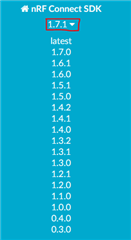
    You can change the version by pressing the version number.

    BrianP said:
    It seems that the pre-made hex file about is for V1.7.0 (and erroneously marked as "latest")

    NCS v1.7.1 doesn't have any changes that affects the nRF9160. Except for a couple of BLE Mesh bugfixes and BLE Mesh being qualifiable, there aren't any changes between NCS v1.7.0 and NCS v1.7.1.

    You can find the full changelog here: https://developer.nordicsemi.com/nRF_Connect_SDK/doc/1.7.1/nrf/releases/release-notes-1.7.1.html

    BrianP said:
    Unfortunately, this fails to build

    I am going to need more information to be able to help you here. How does it fail? How did you change to the main branch? How do you build?

    BrianP said:
    I'd prefer to just be able to test a pre-build version first.

    BrianP said:
    As an experiment I did a git pull of the source directory hoping this would at least get me corresponding source and documentation from which I could build a file to flash.

    If you open Git Bash from the Toolchain Manager, then enter these commands, you will get the main (previously called master) branch:

    cd nrf
    git checkout main
    git pull
    west update

    Note that the main branch is unstable, and might therefore not always work.

    I've attached a compiled version of the serial_lte_modem (from NCS v1.7.0) with AGPS, PGPS, cell based positioning and modem tracing enabled.

    8267.merged.hex

  • Didrik

    Thank you for the reply and the hex file. I will try it as soon as I can.

    I have discovered that clicking on many of the links in the documentation lead to "page not found" (instead of a nicely formatted page you get sort of an ancient looing web page. Often selecting from the list of NCS connect versions will do that. Hence the google searches. I can send a sample the next time it happens.

    Unfortunately I seem to have borked my installation while trying to install 1.7.99 on the theory that perhaps that would allow me to compile. I will restore it and stick to 1.7.1 for the meantime.

    I will likely be going offline for about 10 days on a hunting expedition and will try to update when I can.

    Thanks again

    Brian

Related