Failing to flash PCA10040 nRF52 DK using J-Link

Hello, 

I encountered a problem while trying to flash my PCA10040 nrf52 development kit.

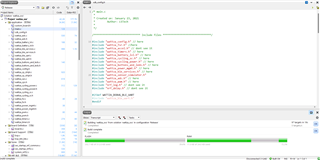
I am able to compile my code in Segger Embedded Studio without a problem. The chip has 512kB of flash and 24kB which should be more than enough to flash the chip.
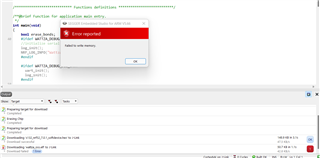
Then I start flashing and I get this error message
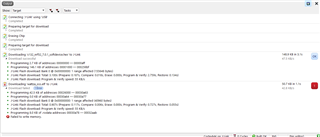
When I look at the log I see this
If someone can help I would greatly appreciate it. I am open to provide with more information if something is missing.

Parents Reply Children
  • Hello, 

    I downloaded nrfprog.exe, but I am not sure how to flash the device with the binary file (.hex)
    I rebuilt the project in SES.
    I tried the following : Target -> Download File -> Binary file -> executable file -> binary file

    After that I select the hex file, but I am prompted to select the location where I want the code to be flashed to and I selected 0x0 as it is the Flash addresses available for application. It does not work...

    I even went and changed the min RAM start address to : 0x20001668 and the FLASH start to : 0x26000 because I have a soft device S132_nrf52_7.0.1_softdevice.hex

    This is what I get when I try to download the binary file (.hex) to the chip.

  • If you take any of the BLE peripheral examples as-is from the nRF5 SDK, you should only need to compile (build: F7) and program (download: Ctrl T + L) directly from SES (then both the required softdevice and application hex file will be programmed). Does this work?

    Kenneth

Related
