Overlay file addition Issue to Zephyr Project in SES

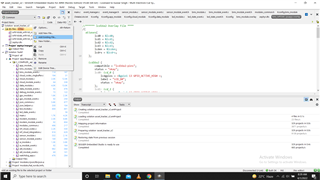
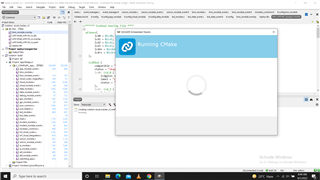
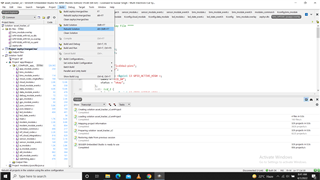
Dear, I copied the Button sample project to another drive i.e. G. I added the overlay file. The file is attched. The included file is shown on ltop left corner side under dts category. Then, click RUN CMake. The dialog appers as shown in attached file dailog.png . After clicking YES , in the OUTPUT window, there is a message  Restoring state from previous session, as shown in attached file restore.png. May the overlay file be included in .dts category ? Am I making any misyake in overlay file.

//****** lcd16x2 Overlay File ****
/{
aliases{
lcd0 = &lcd0;
lcd1 = &lcd1;
lcd2 = &lcd2;
lcd3 = &lcd3;
lcden = &lcden;
lcdrs = &lcdrs;
};

lcd16x2 {
compatible = "lcd_pins","arduino-header-r3";

lcd0: lcd_0 {
lcdgpios = <&gpio1 4 GPIO_ACTIVE_HIGH >;
label = "LCD_D0";
};
lcd1: lcd_1 {
lcdgpios = <&gpio1 5 GPIO_ACTIVE_HIGH >;
label = "LCD_D1";
};
lcd2: lcd_2 {
lcdgpios = <&gpio1 6 GPIO_ACTIVE_HIGH >;
label = "LCD_D2";
};
lcd3: lcd_3 {
lcdgpios = <&gpio1 7 GPIO_ACTIVE_HIGH >;
label = "LCD_D3";
};
lcdrs: lcd_rs {
lcdgpios = <&gpio1 8 GPIO_ACTIVE_HIGH >;
label = "LCD_RS";
};
lcden: lcd_en {
lcdgpios = <&gpio1 9 GPIO_ACTIVE_HIGH >;
label = "LCD_EN";
};
};
};lcd16x2.overlay    
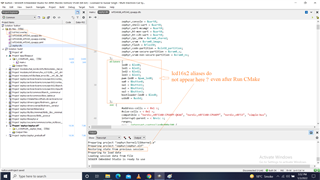
Parents
  • Dear Gulzar,

    It appears that the overlay file is not found by your project. Here are three ways to include the aliases:

    a) Include the path to the overlay file in CMakeLists.txt. (You might want to copy the file to your project folder or a subfolder of your project folder in order to keep the path short.

    b) Or you could create a file called nrf5340dk_nrf5340_cpuapp.overlay, place it in your project folder and add the lines of code.

    Best regards,

    Håkon

Reply
  • Dear Gulzar,

    It appears that the overlay file is not found by your project. Here are three ways to include the aliases:

    a) Include the path to the overlay file in CMakeLists.txt. (You might want to copy the file to your project folder or a subfolder of your project folder in order to keep the path short.

    b) Or you could create a file called nrf5340dk_nrf5340_cpuapp.overlay, place it in your project folder and add the lines of code.

    Best regards,

    Håkon

Children
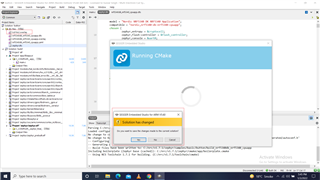
  • Hi, I again created a new project today. In this project also, a custom overlay file is not loaded. i adopted following steps:

    Step 1:

    Step 2:

    Step 3: ...

    Step 4 : 

    Sep 5: 

    Step 6: 

    Step 7:

    The Build Error 

    The custom overelay file CODE  is below.

    /{
    aliases{
            bmspin = &bmspin;
           };
    BmsPin {		
            status = "okay";
    	bmspin: bms_pin {
              bmsio = < &gpio0 0x8 0x11 >;
              label = "BMS PIN";      
              status = "okay";
            };
      };
    };
    

Related