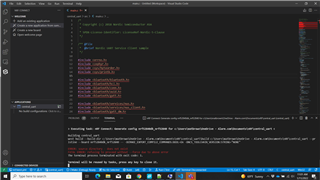
Trying to build one of the sample applications from the SDK using VSCode and nRFConnect SDK v1.8.0, when attempting to create a new configuration for a project, the build always fails due to ERROR: source directory - does not exist.
VSCode is returning many problems with the example application, but they all seem to boil down to one issue, it cannot locate the source files for the includes in main.c. Originally, I thought this was a path issue, but checking the toolchain directory for the SDK, the files do not appear to be present, and I've tried with SDK v1.7.1 as well with no better results.
SDK and VSCode were installed via Toolchain Manager v0.10.2
Below is an image of the project as I'm trying to build it.