

Hi
This question is based on the NCS tag v1.8.0.
I am using nRF9160DK SLM application to evaluate the MQTT AT command function.
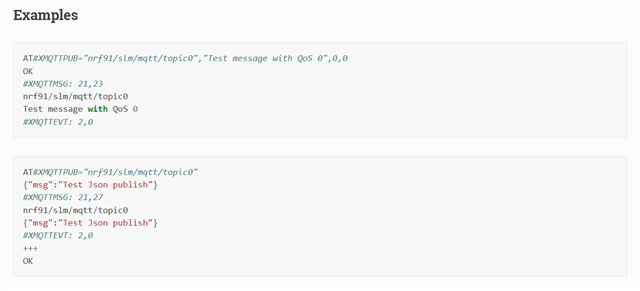
I got OK if I send a plain text to AWS. But I got an ERROR when I try to send message in JSON format like example above.
2022-01-25T08:22:14.024Z DEBUG modem << #XMQTTCON: 1,"nrf9160_Thing","MY_ENDPOINT-ats.iot.us-west-2.amazonaws.com",8883,16842753
2022-01-25T08:22:14.027Z DEBUG modem << OK
2022-01-25T08:22:28.864Z DEBUG modem >> AT#XMQTTPUB="topic/test","Test message with QoS 1",1,0
2022-01-25T08:22:28.885Z DEBUG modem << OK
2022-01-25T08:25:18.424Z DEBUG modem >> AT#XMQTTPUB="topic/test" {"msg":"Test Json publish"}
2022-01-25T08:25:18.435Z DEBUG modem << ERROR
2022-01-25T08:25:18.436Z ERROR Error: AT#XMQTTPUB="topic/test" {"msg":"Test Json publish"}
 failed
Does anyone know the right format to send JSON format AT command to serial LTE modem in v1.8.0?
Best regards,
Tim


