OTA DFU for nRF52832 SDK17 not working

Hello Nordic Team!

I'm working with the nRF52832 and following this tutorial from Nordic to do OTA DFU: https://devzone.nordicsemi.com/guides/short-range-guides/b/software-development-kit/posts/getting-started-with-nordics-secure-dfu-bootloader

When generating the .zip file I'm not able to use the correct command because I have softdevice s132_7.2.0, but the support is until s132_7.0.1 https://github.com/NordicSemiconductor/pc-nrfutil/blob/master/nordicsemi/__main__.py#L506

I tested with 7.0.0 but it doesn't work, any idea on where should I check the correct hex number for my softdevice?

Thanks in advance and I appreciate all the help!

  • Hello,

    I see that the latest softdevice IDs aren't added to nrfutil.

    The softdevice ID for S140 v7.2.0 is 0x0100.

    It says in the softdevice release notes (SDK\components\softdevice\s140\doc\s140_nrf52_7.2.0_release-notes.pdf), but I am aware that most people probably look up the softdevice IDs using the command "nrfutil pkg generate --help".

    I have forwarded the lack of this to our nrfutil team. Thank you for reporting, and hopefully others looking for the same information can find your post helpful.

    Best regards,

    Edvin

  • Hello Edvin, thanks a lot for your answer!

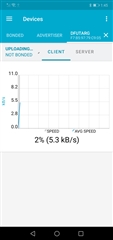
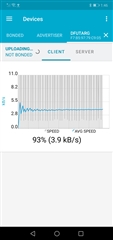
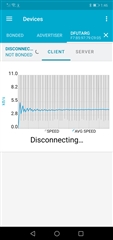
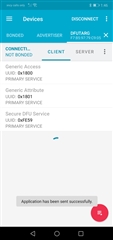
    I tested it and indeed the nRF connect app is able to send the new firmware, it says "application has been sent successfully".

    I tested with the blinky example just for something easy, but just the LD5 is turned on, and the 4 LEDs that are supposed to turn on don't, how can I check the code is actually running, or debug it?

    I tested both the 1 and 3 on the board before doing DFU and both worked, but not after sending the .zip packet and key

    Some pictures of nrf connect app:

    I really appreciate all your help, I'm almost finishing my project :) 

  • Hello,

    Glad to hear that it worked.

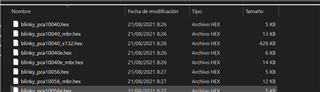
    So you used the blinky_pca10056.hex to generate an nrfutil DFU pack, right? The reason it doesn't work is that this example doesn't use a softdevice. 

    While I see why you want a simple test, I think it is more complicated to modify the blinky project to use the softdevice than it is to just test an example using the softdevice. 

    To test, I suggest that you rather try to flash the softdevice, bootloader and the ble_app_buttonless_dfu example, and then you can create a DFU image by using the ble_app_buttonless_dfu example one more time, but change something in the code, such as the advertising name before you generate the DFU image. Then you should see that the DFU succeeds and that it changes the advertising name after the DFU is complete.

    NB: The ble_app_buttonless_dfu supports putting the device in DFU using a BLE characteristic, so you don't have to put it in DFU mode before transferring the image.

    Best regards,

    Edvin

  • Hello Edvin,

    Thanks for letting me know about using an example that has softdevice and bootloader, I didn't know about that part.

    For "softdevice, bootloader and the ble_app_buttonless_dfu example" I suppose you refer to the same example.

    I changed the advertising name in the example, confirmed is working, and tested it. The new firmware seems to arrive at the board, but it is not working. 

    I tested and reset the board and followed the tutorial from step 1 and tried several configurations with -version, but no one seems to be working.

    nrfutil pkg generate --hw-version 52 --application-version 3 --application sec.hex --sd-req 0x0101 --key-file private.key app_dfu_package.zip
    Zip created at app_dfu_package.zip

    I think the firmware does arrive OK, but the board doesn't work ok :(. 

    Is there any way to debug it?

    Thanks a lot, Edvin!

  • Juan Gomez said:
    Is there any way to debug it?

    Yes there is. What IDE do you use? 

    I will take a lucky guess at SES, until you confirm or say otherwise. 

    The issue with debugging while a bootloader is present is that the bootloader will check whether the application is signed with the key. If it is not, then it will assume that the application is not authentic, and go back to DFU mode. So if you don't see the DFU LEDs, or advertisements, then it is likely that the application is starting, but crashing, causing the device to reset and start the application again.

    The easiest way to "debug" is to use the logging module in the SDK to see whether that says anything. If it doesn't then it is still possible to debug. In order to do so, you need to either upload the FW actually using DFU, so that the bootloader will sign the application image, or you can use nrfutil to create "bootloader settings" which is a small .hex file that you program together with the application (use --sectorerase for this file if you are using nrfjprog). 

    When all of the components: BL, SD, APP, BL_Settings are flashed (or BL, SD and APP is transferred via DFU), then the application should run. The issue is that when you start a debug session, the compiler will not actually use the .hex file that you used to generate your DFU image, but it uses some debug file (.out / .elf, etc. depending on your IDE). When it flashes this new application, then the signature in the bootloader no longer matches the CRC of the application, and the bootloader will reject the application. 

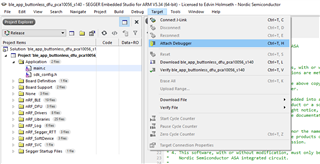
    So in Segger Embedded Studio, there is an option called "Attach debugger"

    Which will attach the debugger, and just assume that  the correct application is already flashed. Use this if you want to debug when a bootloader is present.

    Best regards,

    Edvin

Related