Is it possible to override ZEPHYR_BASE when building with the nRF Connect extension in VS code?
I am using workflow 4 (application as manifest repository) and can build successfully with scripts on the command line that manually set ZEPHYR_BASE, ZEPHYR_TOOLCHAIN_VARIANT and GNUARMEMB_TOOLCHAIN_PATH. The basic project layout is as follows:
- my workspace
- my_application
- inc/
- src/
- prj.conf
- west.yml
- ncs
- nrf
- zephyr
- ...
- ...
- my_application
It seems to be looking in my workspace root for a zephyr folder that doesn't exist.
> Executing task: nRF Connect: Build nrf-connect/build (active) <

Building ant_lib
west build --build-dir c:\<my workspace>\build c:\<my_workspace>\<my application> --pristine --board nrf5340dk_nrf5340_cpunet -- -DCMAKE_EXPORT_COMPILE_COMMANDS:BOOL=On -DNCS_TOOLCHAIN_VERSION:STRING="NONE" -DCONF_FILE:STRING="c:/<my workspace>/<my application>/prj.conf" -DDTC_OVERLAY_FILE:STRING="c:/<my workspace>/<my application>/nrf5340dk_nrf5340_cpunet.overlay"

-- west build: generating a build system
Including boilerplate (Zephyr base): C:/<my workspace>/zephyr/cmake/app/boilerplate.cmake
CMake Error at C:\<my ncs toolchain>\ncs\v1.8.0\zephyr\share\zephyr-package\cmake\ZephyrConfig.cmake:24 (include):
  include could not find requested file:

    C:/<my workspace>/zephyr/cmake/app/boilerplate.cmake
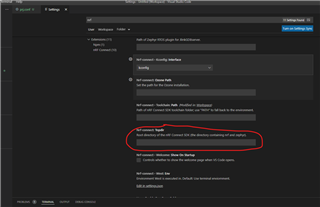
I was hopeful I could use the west.env variable in my code-workspace file like this but it didn't have any effect.
"nrf-connect.topdir": "${workspaceFolder}\\ncs",
"nrf-connect.west.env": {
"$base": "process",
"ZEPHYR_BASE": "${workspaceFolder}\\ncs\\zephyr",
"ZEPHYR_TOOLCHAIN_VARIANT": "gnuarmemb",
"GNUARMEMB_TOOLCHAIN_PATH": "<my compiler path>
}
I am using NCS v1.8.0, nRF Connect for VS Code v2022.1.192.
Is this supported?